1
510291_card printer
11/24/98 12:18 PM
Page 36
4250/4225 Card Printer UserÕs Manual
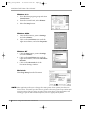
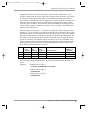
Windows 3.1x
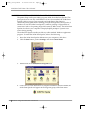
1. Go to the Main program group and select
Control Panel.
2. From the Control Panel, select Printers.
3. Select the Setup button.
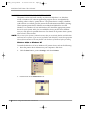
Windows 95/98
1. Click the Start button, point to Settings,
and select Printers.
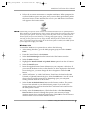
2. Click on the Card Printer icon with the
right mouse button, and select Properties.
Windows NT
1. Click the Start button, point to Settings,
and select Printers.
2. Click on the Card Printer icon with the
right mouse button, and select Document
Defaults.
3. Click on the Advanced tab of the
Document Settings window.
Macintosh
Select Page Setup from the File menu.
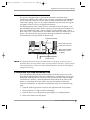
NOTE: Most applications allow you to change these same printer driver options from their own
Print screens. This means you donÕt have to go back to the main printer setup window each
time you want to change a setting or option in the printer driver. These applications will
usually give you the same choices and options, but in a slightly altered format.
36 Section 5: Using Your 4200 Series Card Printer