1
■ Safety Precautions
Turn the scanner OFF if it is
damaged.
WARNING
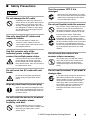
Do not damage the AC cable.
A damaged AC cable may cause fire or
electric shock. Do not place heavy objects
on AC cables, or pull, bend, twist, heat,
damage or modify AC cables. Also, do not
use damaged AC cables or power plugs,
and AC cables or power plugs when the
wall socket is loose.
Use only specified AC cables and
connector cables
Use only specified AC cables and
connector cables. Failure to use the
correct cables might cause electric shock
and equipment failure.
Use this scanner only at the
indicated power voltage. Do not
connect to multiple-power strips.
Use this scanner only at the indicated
power voltage and current. Improper
power voltage and current might cause
fire or electric shock. Also, do not connect
to multiple-power strips.
Do not touch the AC cable with wet
hands.
Do not touch the power plug with wet
hands. Doing so might cause electric
shock.
Wipe any dust from the power plug.
Wipe off any dust from metal parts on the
power plug or metal fittings with a soft, dry
cloth. Accumulated dust might cause fire
or electric shock.
If the scanner is damaged for any reason,
turn off the scanner and unplug the power
cable before contacting the store where
you purchased the scanner.
Do not put liquids inside the scanner.
Do not insert or drop metal objects in to the
scanner. Do not scan wet documents or
documents with paper clips or staples. Do
not splash or allow the scanner to get wet.
If foreign objects (water, small metal
objects, liquids, etc.) get inside the scanner,
immediately turn off the scanner and disconnect the power plug from the power outlet, then contact the store where you bought
the scanner or the Maintenance Service
Center. Pay particular attention to this warning in households where there are small
children.
Do not touch the inside of the
scanner unless necessary.
Do not take apart or modify the scanner.
The inside of the scanner contains highvoltage components. Touching these
components might cause fire or electric
shock.
Do not use the scanner if you smell a
strange odor.
If you detect heat coming from the device or
detect other problems such as smoke,
strange smells or noises, immediately turn
off the scanner and then disconnect its
power plug. Make sure that the smoking
has stopped, and then contact the store
where you bought the scanner or an
authorized FUJITSU scanner service
provider.
Do not install the device in locations
subject to oil smoke, steam,
humidity, and dust.
Do not install the scanner in locations
subject to oil smoke, steam, humidity, and
dust. Doing so might cause a fire or
electric shock.
fi-4530C Image Scanner Getting Started
v