1
Contents
1
2
3
4
User's Manual
How to use the scanner...............................................................................2
Scanner parts and accessories......................................................................2
Overview of the HP software..........................................................................2
Scanner buttons and accessories overview...................................................3
Scanning overview.........................................................................................3
Scan pictures and documents........................................................................4
Scan multiple pictures with one scan.............................................................5
Scan slides and negatives.............................................................................6
Print copies....................................................................................................8
E-mail scanned pictures.................................................................................9
E-mail scanned documents..........................................................................10
Change settings...........................................................................................10
Care and maintenance.................................................................................10
Troubleshooting.........................................................................................12
Frequently asked questions.........................................................................12
Scanner installation or setup issues.............................................................13
Scanner initialization and hardware issues..................................................14
Scanner has stopped working properly........................................................15
Transparent materials adapter (TMA) issues...............................................16
Resolve issues with slides or negatives.......................................................17
Uninstall the software...................................................................................18
Additional troubleshooting information.........................................................18
Customer support......................................................................................19
Accessibility website options .......................................................................19
HP website ..................................................................................................19
Support process ..........................................................................................19
Phone support in the United States.............................................................20
Phone support in Europe, Middle East, and Africa.......................................20
Other phone support worldwide...................................................................22
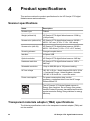
Product specifications...............................................................................24
Scanner specifications.................................................................................24
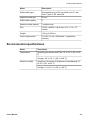
Transparent materials adapter (TMA) specifications....................................24
Environmental specifications........................................................................25
1