1
8 Getting help
The help and the show commands provide detailed information about system devices and how
to use VSM CLI commands to perform configuration tasks.
The help command
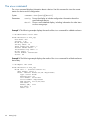
The help command displays information about a VSM CLI command, including a definition,
required syntax, available parameters, the number of characters for a command option value, or
a list of allowed/disallowed characters. If help is followed by a command or a command with
parameters, the display is limited to information about that specific command.
Syntax
help [command] [parameter]
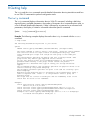
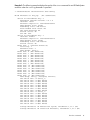
Example: The following example displays the results when help is entered with the create
command.
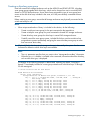
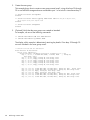
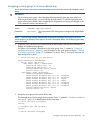
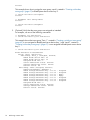
=> help create
The following documentation pertains to your search:
Syntax:
TARGET create type=zg name=NAME [seb=PORT:BOX:BAY] [switchport=PORT]
The create command is used to create a zone group. Using the create command
with the local switch as target creates an unassigned zone group, while
using the blade port target will assign the zone group to the blade port
target.
The type parameter specifies the device type that is being created. Zone
group is the only device type supported in this release.
You may only specify either the storageenclosurebays or the switchport
parameter when creating a zone group. Please consult the product
documentation to determine what type of zoning your storage enclosures
support.
The storageenclosurebays (seb) parameter specifies the physical drives to be
used for creating a bay based zonegroup.
The switchport parameter specifies the ports to be used for creating a port
based zonegroup.
Multiple storage enclosure bays or switchports can be specified by using a
comma to separate them. Enter '?' as the parameter value to query all
possible values.
The target must be a switch or blade port and the redundancy state of the
switch must be active or not redundant.
Examples:
switch location=local create type=zg name=BladeBayZone1
seb=41:2:22,41:2:23,41:2:24
switch loc=local create type=zg name=BladyBayZone2 seb=51:1:1-51:1:35
switch loc=local create type=zg name=BladeSwitchPortZone1 switchport=31
switch loc=local create type=zg name=BayZone1 seb=?
bladeport id=1 create type=zg name=Zonegroup1 seb=71:1:1-71:1:4 (Zonegroup1
is created and assigned to blade port 1)
The help command
59