1
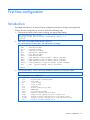
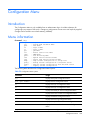
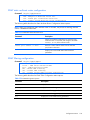
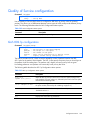
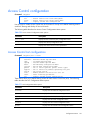
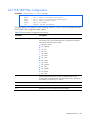
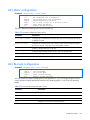
Port configuration
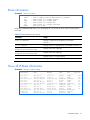
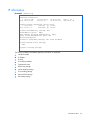
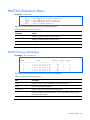
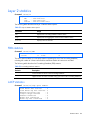
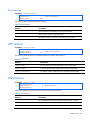
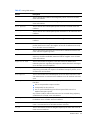
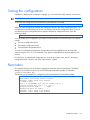
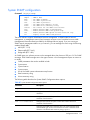
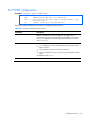
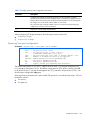
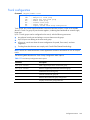
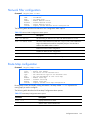
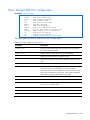
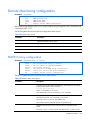
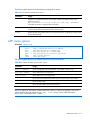
Command: /cfg/port <port number>
[Port 1 Menu]
gig
aclqos
stp
8021ppri
pvid
name
rmon
tag
tagpvid
brate
mrate
drate
ena
dis
cur
-
Gig Phy Menu
Acl/Qos Configuration Menu
STP Menu - for PVRST only
Set default 802.1p priority
Set default port VLAN id
Set port name
Enable/Disable RMON for port
Enable/disable VLAN tagging for port
Enable/disable tagging on pvid
Set BroadCast Threshold
Set MultiCast Threshold
Set Dest. Lookup Fail Threshold
Enable port
Disable port
Display current port configuration
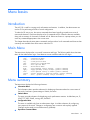
This menu enables you to configure settings for individual switch ports. This command is enabled by
default.
NOTE: Port 17 is reserved for switch management.
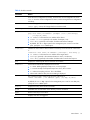
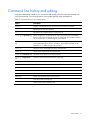
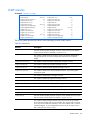
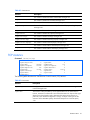
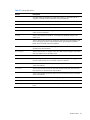
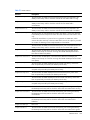
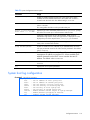
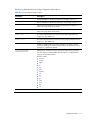
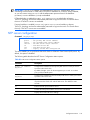
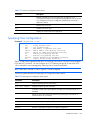
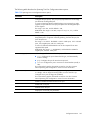
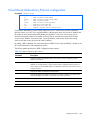
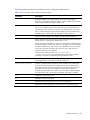
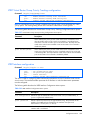
The following table describes the Port Configuration Menu options.
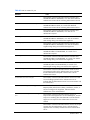
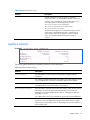
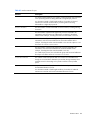
Table 100 Port Configuration Menu options
Command
Description
gig
Displays the Gigabit Ethernet Physical Link Menu.
aclqos
Displays the Access Control List (ACL)/Quality of Service (QoS) configuration
menu.
stp
Displays the port PVRST menu.
8021ppri
Configures the port’s 802.1p priority level.
pvid <1-4094>
Sets the default VLAN number which will be used to forward frames which are
not VLAN tagged. The default number is 1.
VLAN 4095 is reserved for switch management.
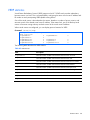
name <1-64
characters>|none
Sets a name for the port (maximum 64 characters). The assigned port name
displays next to the port number on some information and statistics screens.
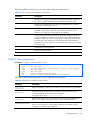
rmon enable|disable
Enables or disables Remote Monitoring for the port. RMON must be enabled
for any RMON configurations to function.
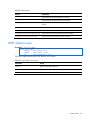
tag enable|disable
Disables or enables VLAN tagging for this port. It is disabled by default.
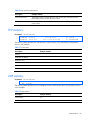
tagpvid
enable|disable
Disables or enables VLAN tag persistence. When disabled, the VLAN tag is
removed from packets whose VLAN tag matches the port PVID. The default
value is enabled.
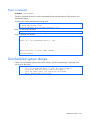
brate <0-262143>|dis
Limits the number of broadcast packets per second to the specified value. If
disabled (dis), the port forwards all broadcast packets.
Configuration Menu 131