1
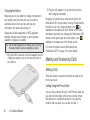
WARNING: Because of higher volume levels, do not place
the device near your ear during speakerphone
use.
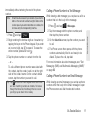
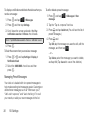
2. Enter the phone number by tapping the keys on
the keypad.
3. Tap Save to People. (This button appears after
tapping six digits.)
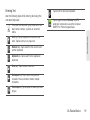
End-of-Call Options
4. Tap Create new contact or Save to existing contact.
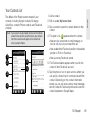
Tip: After receiving a call from a phone number that is not in
your People list, an options menu is briefly displayed to
allow you to save the number to People. On the options
menu, tap Yes, create new contact.
5. Use the keyboard to enter the new contact name
and tap Save to save the new entry.
– or –
Tap an existing contact name and tap Save to save
the new number.
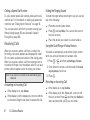
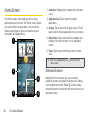
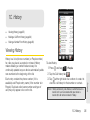
Finding a Phone Number
You can search People for entries by name.
1. Press
Saving a Phone Number
You can store contacts entries in your device. Your
device automatically sorts People entries
alphabetically. (For more information, see “About
People” on page 37.)
, tap
> People, and then press
.
2. Enter the first letter or letters of an entry. (The more
letters you enter, the more specific the search.)
3. Tap the contact to display the contact’s phone
number(s).
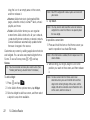
To save a number from standby mode:
1. Press
and tap
.
1A. Device Basics
15
Device Basics
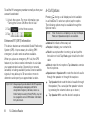
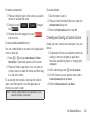
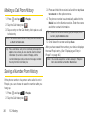
After you receive a call from or make a call to a phone
number that is not in your People list, you can choose
to save the number to People. On the Phone screen,
tap
at the right side of the number to add the new
number to People.