1
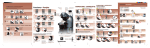
LOCATION OF CONTROLS
CD MODE BUTTON
CD SKIP (
PROGRAM BUTTON
) BUTTON
PLAY/PAUSE (power on)
LCD (Liquid Crystal Display)
DC IN 4.5V
ADAPTER JACK
STOP BUTTON
(power off)
(NOT INCLUDED)
HOLD SWITCH
BATTERY DOOR
LINE OUT JACK
PHONES JACK
VOLUME CONTROL
BASS BOOST SWITCH
DOOR OPEN
CONTROL OPERATION AND FUNCTION
POWER SUPPLY
Your CD player requires 2 size “AA” alkaline batteries (not included), or use the AC
adapter (not included)
AC ADAPTER OPERATION
Plug one end of the AC adapter into the DC 4.5V jack, then plug the other end into
AC wall outlet. (adapter not included)
PRECAUTIONS ON USING THE AC ADAPTER
Put in correct specs for AC adapter. Please make sure you purchase the correct AC
adapter. Use of an incorrect AC adaptor will damage the unit. Don’t touch the AC
adapter with wet hands. Doing so is dangerous, as this could result in an electric shock.
If the adapter plug is insert into the DC Jack of the Player, the power supply automatically switch to the AC/DC power and the batteries supply will be disconnected.
DC OPERATION
ALKALINE BATTERY INSTALLATION (NOT SUPPLIED)
Insert two AA batteries (not supplied) into the battery compartment on the bottom
of the unit. Be sure to observe the proper polarity.
CHARGING AND USE OF RECHARGEABLE BATTERIES
This unit can fully recharge the specified rechargeable batteries, in approximately
15 hours. The rechargeable batteries (NOT supplied) should be recharged before
1