1
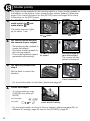
Manual exposure
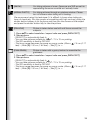
Determine the exposure by manually setting the aperture value and the shutter speed. Use a tripod at slow shutter speeds. Please see page 44 for more
information on the [SETUP] menu and page 48 for more information on the
[REC] menu.
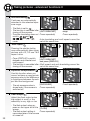
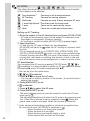
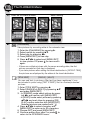
1.
Set ON/OFF switch to ON,
mode switch to
and mode dial to
The status indicator lights
up for about 1 sec.
Switch camera ON,
set
mode
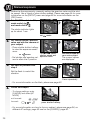
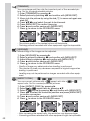
2.
mode
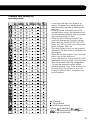
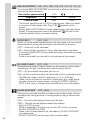
Set shutter speed, aperture
value and aim the camera at
your subject
- Press shutter button halfway
to view the exposure assistance.
Tilt pqtu to set
shutter speed and
- Set shutter and aperture val- aperture value
ues to attain the 0 position.
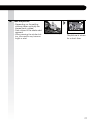
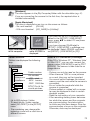
3.
Select
Set flash or proceed with
step 4
Aim the AF area at
your main subject
The current values
are displayed
OP
EN
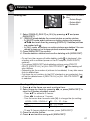
Set the flash to match the
situation.
Open the flash
Select a mode
Press repeatedly.
- For more information on the flash, please see page 42.
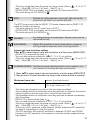
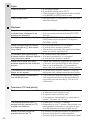
4.
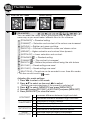
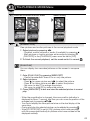
Focus the subject
- To change settings, enter
<2.&/6>BOETFMFDU<"'
.0%&>
not focused:
focused:
Focus on subject,
press shutter halfway
- For more information on how to focus a subject, please see page 36, on
different AF settings, page 52BOEPOUIF<2.&/6>QBHF62.
26