1
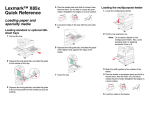
3 Slide the width guide to the far right.
• Follow the illustrations for loading the paper
according to your options.
Closing the multipurpose feeder
1 Remove print media from the multipurpose
feeder.
2 Push the extension tray in.
3 Close the multipurpose feeder cover.
4 Flex the sheets or envelopes back and forth to
loosen them, then fan them. Do not fold or
crease the print media. Straighten the edges on
a level surface.
Simplex (single sided)
Copying
5 Load the media in the tray.
• Load paper or transparencies with the left
Making a copy
edge of the stack against the stack height
label and with the recommended print side
faceup.
1 Place the original document face-up in the
automatic document feeder (ADF) or face-down
on the flatbed.
• Load envelopes flap side down with the
stamp area and flap on the left. The end of
the envelope with the stamp area enters the
multipurpose feeder first.
Warning: Never use envelopes with stamps,
clasps, snaps, windows, coated
linings, or self-stick adhesives.
These envelopes may severely
damage the MFP.
Duplex
6 Slide the side guide toward the inside of the tray
until it lightly rests against the edge of the
media.
Adjust the paper guides when using the ADF.
2 Go on the numeric pad.
Note: If an LDSS profile has been
installed, you may receive an error
when attempting a quick copy.
Contact your system support
person for access.
Copying using the ADF
1 Place the original document face-up in the
automatic document feeder. Adjust the paper
guides when using the ADF.
2 Touch Copy on the home screen, or use the
numeric keypad to specify the number of copies
you want.
7 Set the Paper Size and Paper Type for the
multipurpose feeder to the correct value for the
print media you loaded.
After touching Copy or entering the number of
copies, the touch screen will automatically
change to the copy settings menu.