1
CONTROLLING MARANTZ COMPONENTS
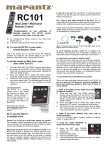
The included remote controller can be used in multi-room systems. Using this remote controller, you can
operate the unit through infrared receivers or the infrared receptor of Marantz products in multiple rooms.
1.
2.
ENGLISH
GENERAL INFORMATION OF RC101 TO THE UNIT
Press the desired SOURCE button.
Press the desired operation buttons to play the selected component.
• For details, refer to the component’s user guide.
• It may not be possible to operate some models.
Zone A: Multi room A control
Zone B: Multi room B control
(The SR7002 does not use this zone)
Zone C: The unit does not use this zone.
POWER ON/OFF
SOURCE
VOL +/–
MUTE
SLEEP
INFO
Turns on or off for each multi zone of
the unit.
Selects a particular source component for
each multi zone.
Adjusts the over all sound level for each
multi zone.
Decreases the sound temporarily.
Sets the sleep timer function.
Turns on or off the “On Screen Display” for
the multi zone.
Zone D: Main room control
POWER ON/OFF Turns on or off for main room of the unit.
Selects a particular source component
SOURCE
for main zone.
Adjusts the over all sound level for Main
VOL +/–
room.
MUTE
Decreases the sound temporarily.
SLEEP
Sets the sleep timer function.
Turns on or off the “On Screen Display” for
INFO
the main room.
CONTROLLING A MARANTZ TV (TV)
SOURCE ON/OFF
MENU/INPUT
CH3/4
ENTER
3(CURSOR)
4(CURSOR)
2(CURSOR)
1(CURSOR)
2
9
;
§
∞
6
5
DISC+/T.MODE
A
B
C
D
Turns the TV on and off
Select the TV video input
Selects TV channel up or down
Moves the cursor for setting in TV menu
–
–
–
–
–
–
–
–
Reserve for learinig
Reserve for learinig
Reserve for learinig
Reserve for learinig
25
SR7002-8002_U_01_ENG 1_3.indd 25
07.8.24 1:14:55 PM