1
)9C2%:-C)2FSSO4EKI8LYVWHE]%YKYWX%1
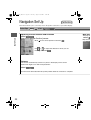
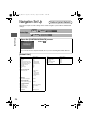
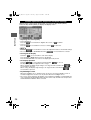
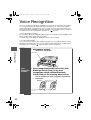
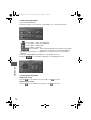
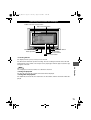
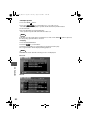
Names and Functions
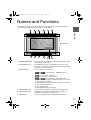
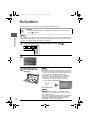
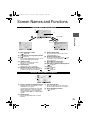
The navigation system can be operated by pressing a button on the panel (panel button) or
selecting a button displayed on the screen (on-screen button).
Before Use
Panel button
On-screen button
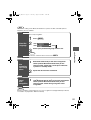
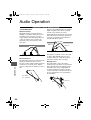
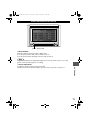
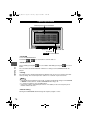
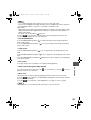
The volume can be adjusted by turning the dial. Turn the audio
unit off by pressing the dial.
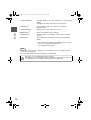
2. LOAD/EJECT button:
CD loading and ejection. If the display is left in the lowered
position for a certain period of time, a beep sound is heard and
the display closes automatically.
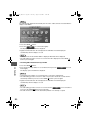
3. SOURCE button:
Used to change the audio source.
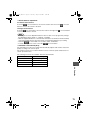
If
Rear View
necessary Monitor
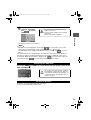
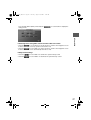
1. POWER/VOLUME dial:
•
and
on-screen buttons : FM/AM broadcast
reception.
•
on-screen button : CD mode
•
on-screen button : Satellite radio
•
and
on-screen buttons : Image and Sound
playback is possible using a portable video player connected
to an external input terminal.*1
Sound playback is possible using an audio player connected
to an external input terminal.*1
AUX1: External sound
AUX2: External image (If equipped)
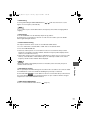
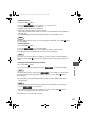
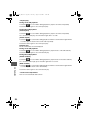
4. SEEK/TRACK button:
5. SEEK/TRACK button:
Performs tuning (short press) and searching (long press) in
FM/AM mode. Performs track skip (short press) and fastforward/reverse (long press) in CD mode.
6. SCAN button:
Performs scanning operation in FM/AM and CD modes.
9