1
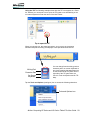
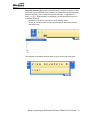
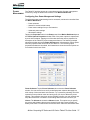
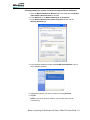
• Voice command mode — Selected by tapping Command. Listens for specific
words that correspond to an existing list of available voice commands; use to
quickly switch between programs, for saving documents, etc.
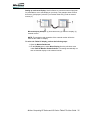
NOTE: To turn off speech, tap the button for Dictation or Command
(whichever you are using).
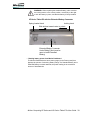
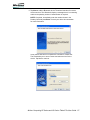
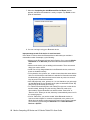
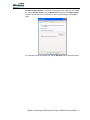
For additional information about setting up speech recognition, you can tap Help
(the Question mark in the circle) on the TIP window and search for “speech.”
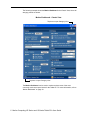
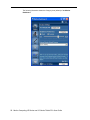
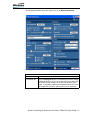
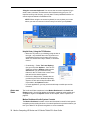
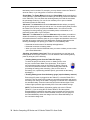
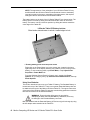
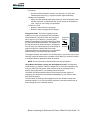
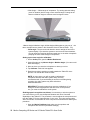
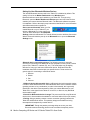
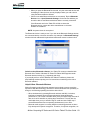
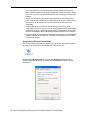
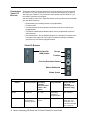
Using Motion Dashboard Directional Controls. The Microphone settings in the
Motion Dashboard include three radio buttons that define the directional angle that
is to be used for speech recording. The selected setting determines the angle of
acceptance. The following information is intended to help you understand the
differences between the narrow, medium, and wide angles. However, the best
reference will be your actual experience in using the technology. There are three
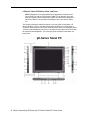
microphones, but only two are used at one time. If you are in landscape mode, the
microphones along the bottom edge (as viewed in primary landscape mode) of the
Tablet PC are used. If you are in portrait mode, the two microphones along the right
side are used.
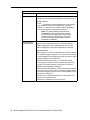
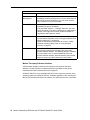
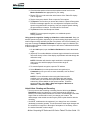
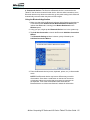
• Angle of acceptance. Three pre-defined “angles of acceptance” are part of
the Motion Speak Anywhere audio technology:
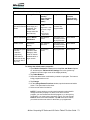
• Narrow Angle — Best setting for dictation, Voice over IP, “voice noisy”
environments; the microphones detect sound on a narrow angle near the
bottom center (landscape orientation) or top center (portrait orientation) of
the display. If you do not speak within the angle of acceptance, e.g., if you
turn your head while dictating or change the angle of the Tablet PC, the
sound will not be recorded.
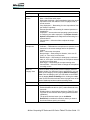
• Medium Angle (default) — Best setting for a small group, conference table,
“voice quiet” environment; microphones detect at a wider angle
Motion Computing LE-Series and LS-Series Tablet PCs User Guide 57