1
Reference Guide for the Model RT311 and RT314 Internet Access Gateway Routers
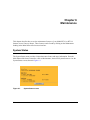
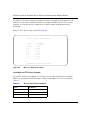
Syslog and Accounting
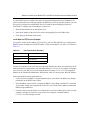
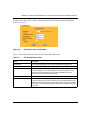
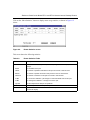
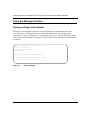
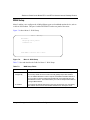
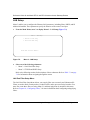
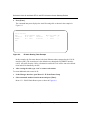
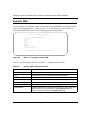
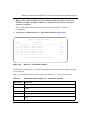
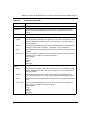
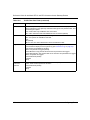
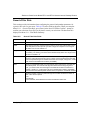
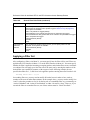
Syslog and Accounting can be configured in Menu 24.3.2 - System Maintenance - Syslog and
Accounting. Menu 24.3.2 configures the router to send UNIX system logs to another machine.
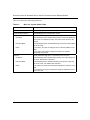
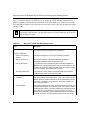
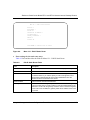
You must configure the parameters to activate syslog (Table 9-4).
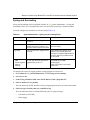
Table 9-4.
System Maintenance - Syslog and Accounting Fields
Field
Command
Description
Active
Press the space bar to toggle between
yes and no.
The syslog option is turned on or off.
Syslog IP Address
Enter the address in dotted-decimal
This field is the IP address location to
notation such as a.b.c.d where a, b, c, send your syslog.
and d are numbers between 0 and 255.
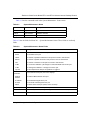
Log Facility
Press the space bar to toggle between
on and off.
Types
CDR
Packet triggered
Filter log
PPP log
For each type, press the space bar to
toggle between yes and no.
Seven different local options can be
selected. The log facility allows the
message to be logged to different files in
the server. Refer to your UNIX manual
for more detail.
Enable logging for:
Call detail record (CDR)
Packet trigger
Filter event (match or not match)
PPP event
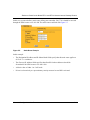
To configure the router for logging with the syslogd program on a local host:
1.
Go to Menu 24.3.2 - System Maintenance - UNIX Syslog and Accounting.
2.
Set Active to Yes.
3.
In the Syslog IP Address field, enter the IP address of the syslogd host PC.
4.
Select a number for Log Facility.
You can choose any facility number, but the syslogd program must be set to the same number.
5.
Select the type of activity that you would like to log.
You can enable the router to send the following types of syslog messages:
•
Call detail record (CDR)
•
Packet trigger
Using the Manager Interface for System Maintenance
9-5