1
Connecting to Your Local Area Network 4-3
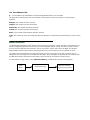
Connecting to an Ethernet network
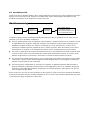
The Netopia R5000 Series supports Ethernet connections through its eight Ethernet ports. The router
automatically detects which Ethernet port is in use.
You can connect 10Base-T or 10/100 Ethernet devices to the Netopia R5000 Series Router.
10Base-T
You can connect a standard 10Base-T Ethernet network to the Netopia R5000 Series Router using any of its
available Ethernet ports.
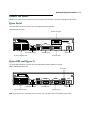
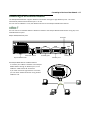
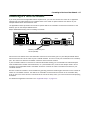
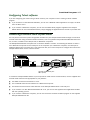
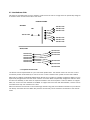
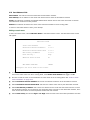
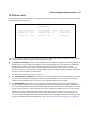
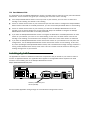
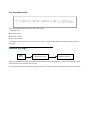
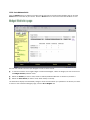
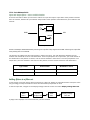
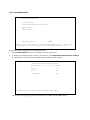
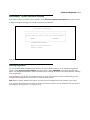
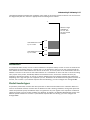
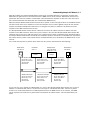
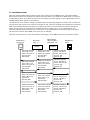
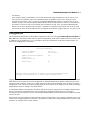
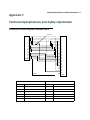
Netopia R5200/5300 back panel
Line port
8
Ethernet
1
Auxiliary
Line 2
Normal
1
Console
Power
Line 1
Uplink
Crossover switch
Auxiliary port
8 port Ethernet hub
Power port
Console port
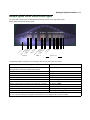
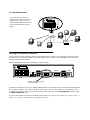
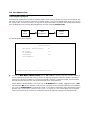
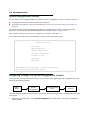
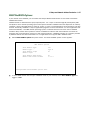
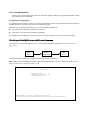
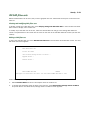
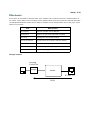
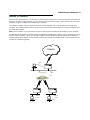
The Netopia R5000 Series in a 10Base-T network
To connect your 10Base-T network to the Netopia
R5000 Series through an Ethernet port, use a
10Base-T cable with RJ-45 connectors.
If you have more than eight devices to connect,
you can attach additional devices using another
10Base-T hub.
8
Ethernet
1
Nor-