1
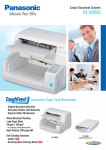
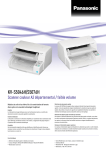
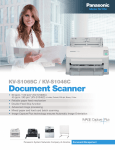
Boost Your Business Efficiency with
a Ledger-Size, High-Speed Scanner
The fast 90-ppm* scan speed and
200-page Automatic Document Feeder
are ideal for both large-volume scanning
and dispersed input. ToughFeed,
Panasonic's unique paper feed
mechanism, also helps to minimizes
damage to important documents and
ensures more precise feeding.
* Letter, Landscape, 200 dpi, Binary/Color.
Innovative Paper Feed Mechanism
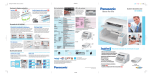
Stapled Document Detection
Preventing Damage to the Scanning Glass
Multiple sensors are used to detect various
types of stapled documents, and to immediately
stop the scanner when stapling is detected. This
minimizes damage to both the document and
the optical glass.
Any lifting of the document is detected.
Corner Staple
Ultrasonic Double-Feed Detection
Feed Direction
Transmitter
Accurate Scanning
The KV-S5055C is equipped with an ultrasonic
sensor, which accurately detects double-feeding
even when scanning documents of various
thicknesses. When detected, the ultrasonic
sensor prevents double-feeding by immediately
stopping the scanning process.
Side Staple
Staples are quickly and accurately detected, to minimize damage to the optical glass and the document.
Receiver
The sensor detect double-feeding and
stops the scanner immediately.
The high-performance sensor catches
even subtle changes.
Superior Roller Mechanisms
Separation Roller
Precise Feeding
Paper Feed Roller
The paper feed rollers separate from the paper each time
a sheet is fed, so the tendency to double-feed caused
by the paper feed roller pressure is reduced, even
when feeding paper of different thicknesses. Any
paper sliding is also detected and the double feed
prevention roller pressure is adjusted to prevent
the paper from slipping and jamming.
The paper feed roller
separates from the paper
each time a sheet is fed.
Double Feed Skip (DFS) Key
Should a scan operation stop due to the detection of
double-feeding, simply press the DFS key to resume
scanning. This is convenient when you don't want
scanning to stop due to documents with things like
receipts or sticky notes attached, or envelopes.
Double Feed
Prevention Roller
When paper sliding is
detected, the double feed
prevention roller
pressure is increased.
Documents for Which Scanning Shouldn't Be Stopped
Even When Double-Feeding Is Detected
Envelopes
Documents with Sticky Notes Attached