1
12
Handling Recurring Payments
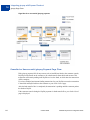
Options for Creating a Recurring Payments Profile
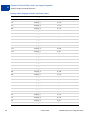
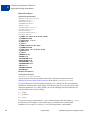
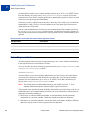
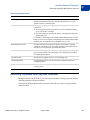
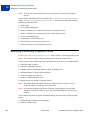
Required Fields for CreateRecurringPaymentsProfile With Direct Payments
NVP
SOAP
CREDITCARDTYPE
CreditCardDetails.CreditCardType
ACCT
CreditCardDetails.CreditCardNumber
EXPDATE
CreditCardDetails.ExpMonth and
CreditCardDetails.ExpYear
FIRSTNAME
CreditCardDetails.CardOwner.PayerName.FirstName
LASTNAME
CreditCardDetails.CardOwner.PayerName.LastName
PROFILESTARTDATE
RecurringPaymentProfileDetails.BillingStartDate
BILLINGPERIOD
ScheduleDetails.PaymentPeriod.BillingPeriod
BILLINGFREQUENCY
ScheduleDetails.PaymentPeriod.BillingFrequency
AMT
ScheduleDetails.PaymentsPeriod.Amount
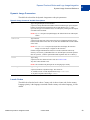
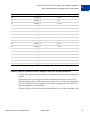
The CreateRecurringPaymentsProfile response contains a Profile ID, which is an
encoded string that uniquely identifies the recurring payments profile.
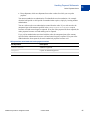
For more options when creating a recurring payments profile, see “Options for Creating a
Recurring Payments Profile” on page 104.
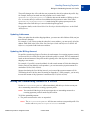
As with all direct payments, PayPal is completely invisible to your buyer before, during, and
after the purchase. PayPal does not send an email receipt to the buyer, nor will the buyer’s
credit card statement indicate that PayPal processed the payment.
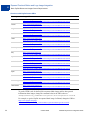
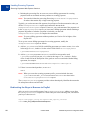
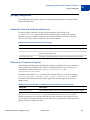
Options for Creating a Recurring Payments Profile
You can create a recurring payments profile that allows a regular payment period, an optional
trial period, an initial payment, and other options.
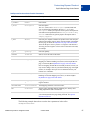
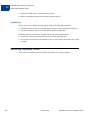
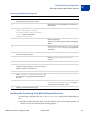
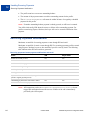
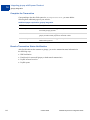
Specifying the Regular Payment Period
Each recurring payments profile has a regular payment period that defines the amount and
frequency of the payment. The following table lists the required fields for specifying the
regular payment period.
104
October 2009
Website Payments Pro Integration Guide