1
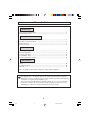
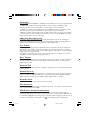
TV SETUP MAIN MENU
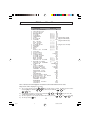
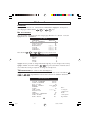
Below shows the structure of the menu items
*
*
*
*
*
*
*
*
*
*
*
*
*
*
*
*
*
*
*
*
*
*
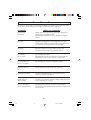
TV SETUP
LANGUAGE
ENGLISH
NO. OF CHANNELS
É
INSTALLATION
É
CLOCK SETUP
É
|||||||
||||||
30
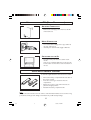
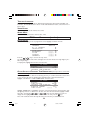
BRIGHTNESS
|||||||
COLOUR
|||||||
33
||||
CONTRAST
|||||||||
49
||
SHARPNESS
||||||||||| 58
TINT
||||||||||||| 49 (only for NTSC signal)
||||||| ||||||||
ROTATION
0 (only for 29HT model)
SCAVEM
YES (only for 29HT model)
||||||| ||||||||
HS OFFSET
0
||||||| ||||||||
VSH OFFSET
0
||||||| ||||||||
VA OFFSET
0
FORCED MONO
NO (only for stereo models)
||||||| ||||||||
BALANCE
0
||||||||||||| 58
TREBLE
BASS
||||||||||||| 49
AVL
NO
AUDIO OUT VOLUME
|||||||||||||| 31
SPATIAL
YES
ULTRA BASS
YES
AUDIO I/II
STEREO
SLEEPTIMER
OFF
VOLUME FIXED
NO
VOLUME BAR
YES
||||||||||
MIN VOLUME
|
0
MAX VOLUME
|||||||||||||| 33
SWITCH ON VOLUME
|||||||||||||| 33
BUZZER VOLUME
||||||||||||||| 15
SWITCH ON CHANNEL
TV 1
POWER ON
STANDARD
LNA
OFF
STEP TUNING
NO
DIGIT TIMEOUT
3.0SEC
BLANKING TIME
960MS
CHANNEL DISPLAY
ALL
KEYBOARD LOCK
NO
FREE PROTECTED
NO
ESP
10HR
INTERFACE
NO
AUDIO/VIDEO MUTE
OFF
AUDIO/VIDEO OUT MUTE
NO
MONITOR OUT RF
NO
WELCOME MESSAGE
É
CHANNEL GUIDE
NO
REMINDER
NO
TELETEXT ACCESS
YES
SECURITY
LOW
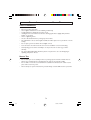
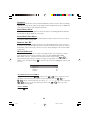
Note: *denotes item which appears in both the Commercial and Consumer mode.
Only 8 items will be displayed at one time.
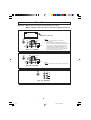
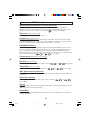
1) To see more items, press the
( ¸ ) key on the remote control. To alter any item on the
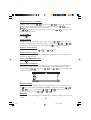
menu, highlight it with the
( ¸ )key and execute with the
( ˝ ) or
( ˙ ) key.
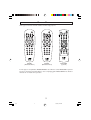
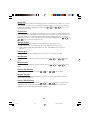
( ˚ ) or
( ¸ )key to move the
2) To highlight any item in a menu, press either the
coloured bar until it rest on the item.
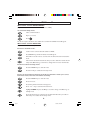
( ˝ ) or
( ˙ )key.
3) To select options or to execute an item in the menu, press the
4) To exit, press the MENU key.
9
p8-12
9
2/4/05, 4:33 PM