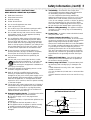
1
20 Remote Control Buttons
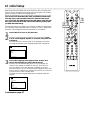
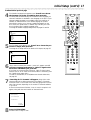
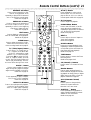
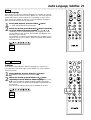
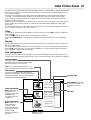
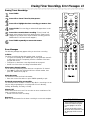
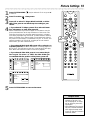
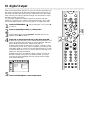
TUNER Button
Press to choose disc mode or tuner
mode. In disc mode, use the Index
Picture Screen, view Disc playback, or
make recordings. In tuner mode, watch
or record TV channels through the
DVD Recorder. Details are on page 19.
TUNER
REC/OTR
STOP
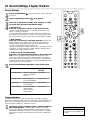
STOP C Button
Press to stop Disc playback or recording.
Press and hold the STOP C button for
three seconds to open or close the
Recorder’s disc tray.
ON/OFF
REVERSE
PAUSE
PLAY
SLOW
FORWARD
PREVIOUS
NEXT
EDIT
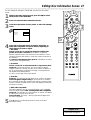
DISC MENU Button
Press during playback to access a
DVD’s Title or Disc menu or the
Index Picture Screen of a DVD+RW.
Details are on page 28.
9 8 ; :Buttons
Press to select items.
Details are on pages 25, 28, and 35.
CLEAR
SELECT
TIMER
CH
VOL
RETURN Button
Press to go back to a previous menu.
MUTE
ZOOM a Button
Press to access a (Zoom) in the
Menu Bar and enlarge the video
image during paused or regular playback of a DVD or DVD+RW.
Details are on page 30.
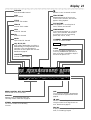
DIM Button
Press repeatedly to adjust the brightness of or to turn off the display on
the front of the DVD Recorder.
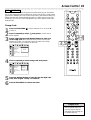
REC/OTR Button (Record/OneTouch Recording)
Press to record the current TV
channel as seen in Tuner mode. Or,
press to start recording material that
is playing on equipment connected to
the Recorder (after choosing the
correct EXT or CAM channel).
Details are on page 19. Press repeatedly to set up One-Touch
Recordings. Details are on page 40.
SYSTEM MENU Button
Press to access or remove the Menu
Bars of the DVD Recorder.
Details are on page 25.
OK Button
Press to acknowledge or approve a
menu selection.
VOL (volume) +/- Buttons
Press to increase or decrease the TV
volume. Details are on page 60.
MUTE H Button
Press to silence the TV volume.
Press again to restore the volume.
Details are on page 60.
ON/OFF Button
Press to turn on or off the power of
the DVD Recorder.
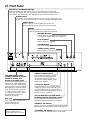
The STAND BY/ON light on the
front of the Recorder is green when
the power is on. The light is red
when the power is off.
Details are on page 22.
A/CH
T/C
ZOOM
ANGLE
SUBTITLE
AUDIO
DIM
REPEAT
REPEAT
SCAN
SELECT Button
Press to select an AM or PM Start or
End time for a timer recording.
Details are on page 41.
TV Switch
Press and hold while using buttons
on the remote control that operate
your TV. Details are on page 60.
AUDIO Y Button
Press to select a different audio language or soundtrack during DVD playback. Multiple languages or soundtracks must be available on the DVD.
Details are on page 29.
SCAN Button
Press to play the first 10 seconds of
each Track or Chapter on a Disc.
Details are on page 33.