1
DVD Menu Options
English
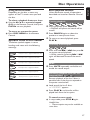
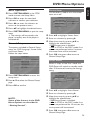
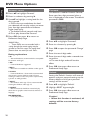
Audio Setup Menu
3D
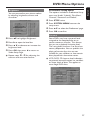
The options included in Audio Setup
menu are: ‘Downmix’, ‘3D’, ‘Night Mode’,
‘Digital Output’ and ‘LPCM Output’.
3D sound provides a virtual surround
sound experience using just two speakers.
1 Press SYSTEM MENU.
2 Press 3 4 to select the ‘Audio Setup’
page.
3 Press OK to confirm.
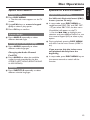
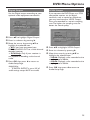
Downmix
1 Press 34 to highlight ‘3D’.
2 Enter its submenu by pressing 2.
3 Move the cursor by pressing 34 to
highlight the selected item.
➜ Off: Disable 3D sound.
➜ On: Enable 3D sound.
1 Press the 34 keys to highlight
4 Press OK, then press 1 to return to
Audio Setup Page.
‘Downmix’.
2 Enter its submenu by pressing 2.
3 Move the cursor by pressing the 34 keys
to highlight the selected item.
➜ LT/RT: Select this option if your DVD
Player is connected to a Dolby Prologic
decoder.
➜ Stereo: Select this option when output
delivers sound from only the two front
speakers and subwoofer.
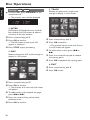
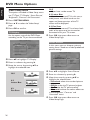
Night Mode
High volume outputs are softened,
enabling you to watch your favourite
action movie without disturbing others at
night.
4 Press OK, then press 1 to return to
Audio Setup Page.
1 Press 34 to highlight ‘Night Mode’.
2 Enter its submenu by pressing 2.
3 Move the cursor by pressing 34 to
highlight the selected item.
➜ Off: Disable night mode.
➜ On: Enable night mode.
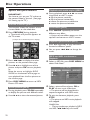
4 Press OK, then press 1 to return to
Audio Setup Page.
24