1
SA170_ENGLISH_00.qxd
9/6/05
14:42
Page 12
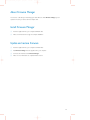
About Firmware Manager
Your device is controlled by an internal program called firmware. With Firmware Manager, you can
update and restore your device with a few simple clicks.
Install Firmware Manager
1
Insert the supplied CD into your computer’sCD-ROM drive.
2
Follow screen instructions to begin and complete installation.
Update and restore firmware
1
Insert the supplied CD into your computer’s CD-ROM drive.
2
Install Firmware Manager from the supplied CD to your computer.
3
Connect to the Internet. Launch Firmware Manager.
4
Follow on screen instructions to complete firmware restore.
12