1
CTX800BLK/00
Xenium
X800
Product highlights
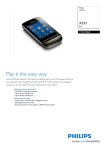
Fast, intuitive touch screen
The fast, intuitive touch screen allows you to control all
the applications in your mobile phone - simply and quickly
- either by using your finger or a stylus, depending on your
needs. The unbelievably easy-to-use touch screen
interface powers up once you switch on your Philips
Xenium mobile phone. Just press any desired control
option with your finger or a stylus to swiftly navigate
through the menu and applications. Making phone calls
or sending SMS is a snap.
2.8" 262K color TFT display
Put the fun and excitement of the most vivid and colorful
graphics and photos right at your fingertips with the large
262K color display that features excellent image quality
and response time.
Handwriting recognition
The intuitive and fast way to write text messages. Simply
write on the touch screen as you would write on a piece
of paper to have the phone convert your handwriting into
an SMS (Short Message Service) text message.
Up to 10 hours of talk time
Talk longer too! Now enjoy up to 10 hours of
conversation with a single charge, reducing the need to
travel with a charger.
2 megapixel autofocus camera
Capturing memorable moments clearly is as simple as
point and shoot. The autofocus works automatically when
you press the camera button halfway. Simply press the
button all the way, in order to capture a clear, sharp
image.
Bluetooth stereo music
Your Philips mobile phone supports A2DP Bluetooth
Profile. It lets you enjoy your favorite tunes wirelessly and
in high quality stereo music from your Bluetooth
headphones.
Video capture and playback
The video capture function lets you record precious
moments in MPEG4 or H263 format. Play it back on your
phone or PC.
FM radio
An FM radio application allows you to listen to your
favorite FM radio programs wherever you are thanks to
your mobile phone and its stereo headset.
MicroSD memory card slot
You can now enjoy extra capacity and storage of
multimedia files by inserting a MicroSD memory card into
the built-in memory card slot of your phone.
Issue date 2008-10-14
© 2008 Koninklijke Philips Electronics N.V.
All Rights reserved.
Version: 7.0.1
Specifications are subject to change without notice.
Trademarks are the property of Koninklijke Philips
Electronics N.V. or their respective owners.
12 NC: 8670 000 47544
EAN: 87 12581 45105 9
www.philips.com
* Specification indicated based on initial full battery charge tested in
laboratories with Bluetooth switched off. Actual performance is
dependent on network service provider and usage.