1
•
•
•
del Consumidor. Registre el producto en línea en: WWW.RCAAUDIOVIDEO.COM. Haga clic en Registro del producto y
responda al cuestionario.
EN/F/E
It is important to read this user manual prior to using your new product for the first time.
Nous vous recommandons de lire ce manuel d’instructions avant d’utiliser votre nouveau produit pour la première fois.
Es importante leer este manual antes de usar por vez primera su equipo.
FCC Information
Note: This equipment has been
tested and found to comply with
the limits for a Class B digital device,
pursuant to Part 15 of FCC Rules.
These limits are designed to provide
reasonable protection against
harmful interference in a residential
installation. This equipment
generates, uses, and can radiate
radio frequency energy and, if not
installed and used in accordance with
the instructions, may cause harmful
interference to radio communications.
Changes or modifications not
expressly approved by Audiovox could
void the user’s authority to operate
the equipment.
However, there is no guarantee
that interference will not occur
in a particular installation. If this
equipment does cause harmful
interference to radio or television
reception, which can be determined
by turning the equipment off and
on, the user is encouraged to try to
correct the interference by one or
more of the following measures:
• Reorient or relocate the receiving
antenna.
• Increase the separation between
the equipment and receiver.
• Connect the equipment into an
outlet on a circuit different from
that to which the receiver is
connected.
• Consult the dealer or an
experienced radio/TV technician
for help.
Power source:
• 2 x AA batteries
Before you begin
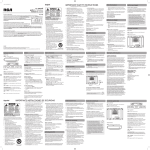
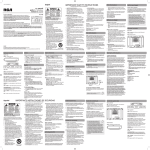
General controls
Installing the battery
Front/Back view
•
•
This Class B digital apparatus
complies with Canadian ICES-003.
Cet appareil numérique de la
classe B est conforme à la norme
NMB-003 du Canada.
•
Technical specification
Unlock the battery compartment
with a screwdriver. Remove the
compartment door.
Observe the polarities and place
two AA batteries (not included) in
the compartment.
Replace the compartment door
and lock it in place using a
screwdriver. Be careful not to over
tighten the screw.
Heed all warnings.
Follow all instructio
Do not install near
sources such as rad
registers, stoves, or
apparatus (includin
that produce heat.
Display
This product is
designed to resist
small accidental
splashes which may
occur on kitchen or bathroom
counter tops. However, do
not submerge or expose this
product to the direct spray from
a bathroom shower or to heavy
rain. It is not recommended to
use this product outdoors.
Battery
compartment
Right view
–VOLUME+ – Adjust volume
LIGHT – Switch on/off the display backlight
ON – Turn the unit on
OFF – Turn the unit off
Display backlight
Warranty information
Press LIGHT to switch on/off the
display backlight.
12 Month Limited Warranty
Applies to RCA Clock Radios
Note that backlight will turn off after
10 minutes.
AUDIOVOX ACCESSORIES CORP.
memory devices or cards, speakers,
accessories, computers, computer
peripherals, other media players,
home networks or vehicle electrical
ANY CONSEQUENTIAL OR INCIDENTAL
DAMAGES FOR BREACH OF THIS OR
ANY OTHER WARRANTY. No person or
representative is authorized to assume
responsible to resto
personal preference
Audiovox Electronics