1
QUICK START
ENGLISH
Quick Start - Set-up
Setting up your C com 16 is a simple procedure, which takes only a few minutes. There are many ways to interface the C
com 16 with various recording or live sound set-ups, so take some time to decide which audio devices you want to connect. The following section shows a simple set-up for a typical live sound system with a C com 16 connected to a mixer,
CD player and two powered PA monitors.
Remove all packing materials (save them in case of need for future service) and plug the provided AC adapter in to the
rear AC power inlet, but don’t plug the power pack into a wall outlet just yet. You can use the C com 16 in line with the
output of a mixer or recorder, or in a send and return insert-point which is typically found on input and output channels
of mid to larger mixers. For detailed wiring diagrams see page 17 of this manual.
Follow the next few steps described in the section below to begin to use your C com 16.
Note: Before plugging in and turning on, remember the “last on, first off” rule of power amplifiers and powered
speakers. When powering up your system, be sure that all the wires are connected, turn your mixer and any other
outboard gear on, and then last, turn your power amplifier or powered speakers on. When powering down, turn your
power amplifier or powered speakers off first and then your mixer and outboard gear.
5/L
LEFT/MONO
LEFT
LEFT
AUX RET
CR OUT
MIX OUT
RIGHT
RIGHT
RIGHT
LINE IN
AUX OUT
MONO OUT
6/R
0
0
10
10
AUX RETURN
0
10
MIX/2T
_
_
_
_
_
_
_
_
_
_
_
_
_
_
_
_
_
_
_
_
_
_
•
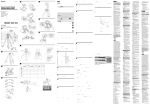
Using standard 1/4-inch cables, connect the mixer’s left and right OUTPUTS to the to the C com 16’s LEFT and
RIGHT INPUTS.
•
Now, using standard cables connect the C control’s LEFT and RIGHT OUTPUTS to the inputs of your power amp
or powered monitors.
6