1
Safety Instructions
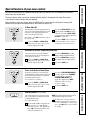
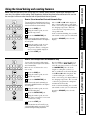
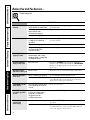
Special features of your oven control.
Your new touch pad control has additional features that you may choose to use. The following are the features
and how you may activate them.
The special feature modes can only be activated while the display is showing the time of day. They remain
in the control’s memory until the steps are repeated.
When the display shows your choice, touch the START pad. The special features will remain in memory after
a power failure, except for the Sabbath feature, which will have to be reset.
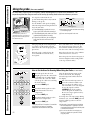
With this feature, should you forget and leave the
oven on, the control will automatically turn off the
oven after 12 hours during baking functions or
after 3 hours during a broil function.
If you wish to turn OFF this feature, follow
the steps below.
Touch the BAKE and BROIL HI/LO
pads at the same time for 3 seconds
until the display shows SF.
Touch the DELAY START pad. The
display will show 12 shdn (12 hour
shut-off). Touch the DELAY START
pad again and the display will show
no shdn (no shut-off).
Touch the START pad to activate the
no shut-off and leave the control
set in this special features mode.
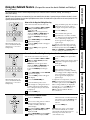
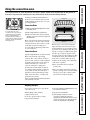
Your oven control is set to use the Fahrenheit
temperature selections but you may change this
to use the Celsius selections.
Touch the BAKE and BROIL HI/LO
pads at the same time for 3 seconds
until the display shows SF.
Care and Cleaning
Fahrenheit or Celsius Temperature Selection
Operating Instructions
12 Hour Shut-Off
Touch the BROIL HI/LO pad. The
display will show F (Fahrenheit).
Touch the BROIL HI/LO pad again.
The display will show C (Celsius).
Touch the START pad.
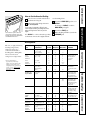
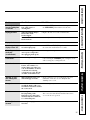
Tones at the End of a Timed Cycle
To cancel the 6 second beep:
Touch the BAKE and BROIL HI/LO
pads at the same time for 3 seconds
until the display shows SF.
Touch the KITCHEN TIMER ON/OFF
pad. The display shows CON BEEP
(continual beep). Touch the
KITCHEN TIMER ON/OFF pad
again. The display shows BEEP.
(This cancels the one beep
every 6 seconds.)
Touch the START pad.
Troubleshooting Tips
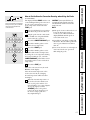
At the end of a timed cycle, 3 short beeps will
sound followed by one beep every 6 seconds until
the CLEAR/OFF pad is touched. This continual 6
second beep may be canceled.
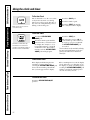
Control Lockout (on some models)
To activate this feature:
Touch the 9 and 0 touch pads at the
same time for 3 seconds until the
control beeps twice. The display will
show LOC continuously and the time
of day if not blacked out.
NOTE: All cooking and timing functions will be
cancelled when locking out the control.
To unlock the control, touch the
9 and 0 touch pads at the same time
for 3 seconds until the control beeps
twice, and LOC will be removed from
the display.
11
Customer Service
Your control will allow you to lock out the touch
pads so they cannot be activated when touched
or cleaning the glass panel.