1
Timer
World Clock
The volume of the alarm/timer is determined by the
ringer volume setting. If the ringer volume is off, the
alarm/timer will ring at the minimum volume. The
alarm/timer will still ring even during a call.
Clock Format
Basic
Operation
n
o
i
e
t
s
} ‡ Extras } Clock
a
U
c
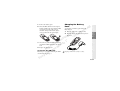
land stop the timer
ni at a certain time.
a
To start
i
u
Press the Jog Dial to select
c the timermis on, appears in the
rWhen
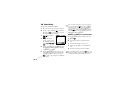
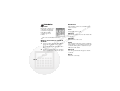
a city from the map
e
display in standby mode.
(or press the Centre Key to
m
om
list cities) for the
m
C
o ile
following options:
C
} Set ¥ to change the
or Mob
f
home city.
t
o
Choose from the following clock formats: 24
Nthe foreignscity.
} Set ® to change
on
Hours, AM/PM, With Date, World Clock.
Choose Off to have no date/time displayed in
s
cbetween summer
} Daylight Saving to switch
i
standby mode.
r
time and winter time.
E
y
n
So
Clock
Getting
Started
B
A
s
Your Sony
CMD-J7/J70
It is possible to set, switch on/off or set the
Alarm to ring at the same time every day
(Repeat Daily). When the alarm is on,
appears in the display in standby mode. If the
phone is switched off, you will not hear the
alarm.
Menu
Operation
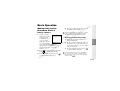
Choose the Extras menu to access the
following sub-menus: Clock, Calculator,
Games and E-Mail.
Alarm
Appendix
Extras
45 GB