1
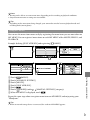
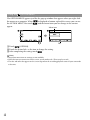
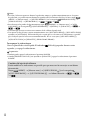
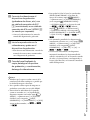
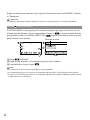
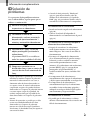
Notes You may not be able to set some menu items, depending on the recording or playback conditions. Grayed out menu items or settings are not available. Tips Depending on the menu items being changed, your camcorder switches between playback mode and recording mode (movie/photo). Using MY MENU You can use the menu items more easily by registering the menu items you use most often on MY MENU. You can register 6 menu items on each MY MENU of the MOVIE, PHOTO, and PLAYBACK. Example: deleting [SPOT MTR/FCS] and registering [ FADER] Customizing your camcorder Touch (MENU). Touch [MY MENU SETTING]. Touch [MOVIE]. Touch [SPOT MTR/FCS]. . Touch [MANUAL SETTINGS] category). Touch [ FADER] (under . When MY MENU is displayed, touch Repeat the same steps above to register menu items on MY MENU, and enjoy using your “Handycam.” Tips When an external storage device is connected, the exclusive MY MENU appears. US 57