1
Printing with a Memjet printer
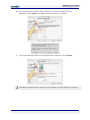
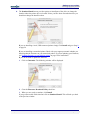
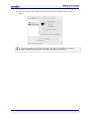
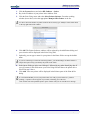
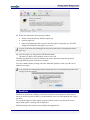
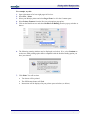
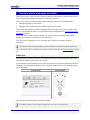
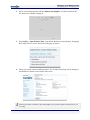
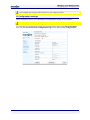
1. Click Preview in your print dialog box. This will display a print preview of your
document.
2. Select File > Print in your Preview menu.
3. Click the Help icon in that print dialog.
4. Navigate to: Saving a group of print options as a preset.
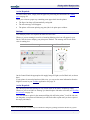
Print dialog Help
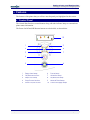
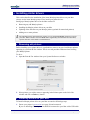
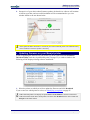
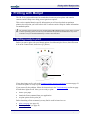
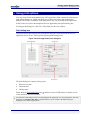
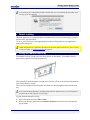
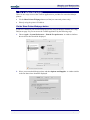
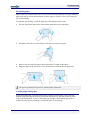
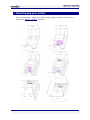
The print dialog will contain a Help icon, in the form of a circled question mark as shown.
Clicking that icon will bring up either the MacOS X standard print dialog Help window or an
application-specific Help window, depending on the application you are using.
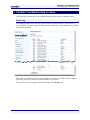
To access the the standard Print dialog Help instructions:
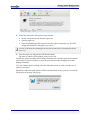
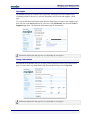
1. Click Preview in your print dialog box. This will display a print preview of your
document.
2. Select File > Print in your Preview menu.
3. Click the Help icon
in that print dialog.
This User Guide will direct you to the standard print dialog Help instructions wherever possible.
Where the standard Print dialog Help instructions conflict with information contained in this User
Guide, follow the instructions in this User Guide.
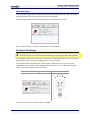
• Page orientation
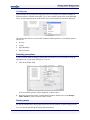
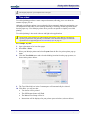
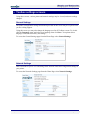
Page orientation in your Memjet printer can be set up in a variety of ways depending on your
application. In Preview:
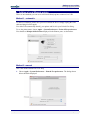
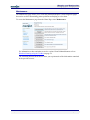
1. Select the Orientation of your pages via the icons in the Common pane (see Figure 4 on
page 47).
2. If not already showing, select the Preview options pane then select and deselect Auto
Rotate check box until the orientation of the document in the Print preview pane matches
your expectations.
3. As you select the various combinations of options, the graphic on the right pane of the
Properties dialog box will display the orientation you have chosen.
4. Click Print when ready.
Some applications may override page orientation set up in this manner.
• Custom paper sizes
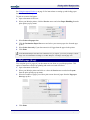
If you are printing from the paper tray you can select only from US Letter, ISO A4 and US
Legal sizes.
Paper sizes other than those listed above can be printed only from the manual feed (rear)
paper tray and can only be fed manually, one sheet at a time.
The largest paper size you can print on is US Legal.
28 July 2011 - v4.2
Confidential.
Page 50 of 99