1
CAWT - COM Automation With Tcl
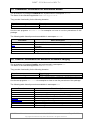
GetVersion
GetWorkbookName
GetWorksheetAsMatrix
GetWorksheetIdByIndex
GetWorksheetIdByName
GetWorksheetIndexByName
GetWorksheetName
HideColumn
ImgToWorksheet
InsertImage
IsWorkbookProtected
IsWorksheetProtected
IsWorksheetVisible
ListToCsvRow
MatlabFileToExcelFile
MatlabFileToWorksheet
MatrixToClipboard
MatrixToCsvString
MediaWikiFileToExcelFile
MediaWikiFileToWorksheet
Open
OpenNew
OpenWorkbook
PlaceChart
Quit
RawImageFileToExcelFile
RawImageFileToWorksheet
ReadCsvFile
ReadMatlabFile
ReadMatlabHeader
ReadMediaWikiFile
ReadRawImageFile
ReadRawImageHeader
ReadWikitFile
ResizeChartObj
SaveAs
SaveAsCsv
SaveChartAsImage
SaveChartObjAsImage
ScaleImage
ScreenUpdate
Search
SelectAll
SelectCellByIndex
SelectRangeByIndex
SelectRangeByString
SetCellValue
SetChartMaxScale
SetChartMinScale
SetChartObjPosition
CAWT User Manual
Return the version of an Excel application.
Return the name of a workbook.
Return worksheet table as a matrix.
Find a worksheet by its index.
Find a worksheet by its name.
Find a worksheet index by its name.
Return the name of a worksheet.
Hide or unhide a column.
Put a photo image into a worksheet.
Insert an image into a worksheet.
Check, if a workbook is protected.
Check, if a worksheet is content protected.
Check, if a worksheet is visible.
Return a list of column values as a CSV encoded row
string.
Convert a Matlab table file to an Excel file.
Insert the data values of a Matlab file into a worksheet.
Copy a matrix into the clipboard.
Return a CSV encoded table string from a matrix list.
Convert a MediaWiki table file to an Excel file.
Insert the values of a MediaWiki table file into a worksheet.
Open an Excel instance. Use an already running instance,
if available.
Open a new Excel instance.
Open a workbook, i.e. load an Excel file.
Place an existing chart into a worksheet.
Quit an Excel instance.
Convert a raw photo image file to an Excel file.
Insert the pixel values of a raw photo image into a
worksheet.
Read a CSV table file into a matrix.
Read a Matlab file into a matrix.
Read the header of a Matlab file.
Read a MediaWiki table file into a matrix.
Read a raw photo image into a matrix.
Read the header of a raw photo image.
Read a Wikit table file into a matrix.
Set the position and size of a chart object.
Save a workbook to an Excel file.
Save a worksheet to file in CSV format.
Obsolete: Replaced with SaveChartObjAsImage in version
1.0.1
Save a chart as an image in a file.
Scale an image.
Toggle the screen updating of an Excel application window.
Find a string in a worksheet cell range.
Select all cells of a worksheet.
Select a cell by its row/column index.
Select a range by specifying a numeric cell range.
Select a range by specifying an Excel range string in A1
notation.
Set the value of a cell.
Set the maximum scale of an axis of a chart.
Set the minimum scale of an axis of a chart.
Set the position of a chart object.
Version 2.1.0, 2015-09-01
Copyright © 2008-2015 by Paul Obermeier. All rights reserved.
Page 12 of 32