1
§
§
§
§
§
§
various Delays, Chorus, Phaser, Filter, Reverb, Flanger, Gator,
Stereo Enhancer, Parametric EQ and Crusher.
Mono/Polyphonic Portamento/Glide featuring “Fingered” mode,
switchable constant Time/constant Rate and Auto-Bend Modes.
32-voice polyphony (CPU and preset dependent).
Adjustable voice limit (Mono...12, all).
Supports AU and VST hosts on Mac OS X and PC.
Supported audio formats include WAV and AIFF up to
24bit/96kHz.
Sample accurate timing, full automation and settings are saved
with your song.
Overview
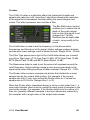
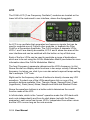
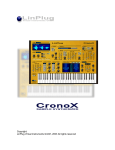
The CrX4 is a 32 note-polyphonic VST sample-based synthesizer with
some extraordinary features. The instrument includes various Generators,
Filters, Effects and Modulation modules.
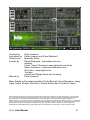
The design of the CrX4 can be divided into 4 main sections: Generator,
Filter, Effects and Modulation. Furthermore there are various general
settings, a bank/preset browser and a setup page.
Audio signals are created by a Generator that gets triggered from your host
software (DAW software), which might come from track or being played life
from your MIDI Controller (Keyboard, Guitar etc).
The output of the various Generators can be combined in several ways.
The signals can be mixed together proportionately or the outputs of
Generator 1 and 3 can be used to modulate the frequency or amplitude of
Generators 2 and 4 respectively.
This AM or FM increases the harmonic spectrum of the modulated
Generator producing very interesting, harmonically-rich results. At this point
the signals can also be detuned and thickened using the Spread control.
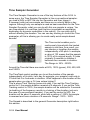
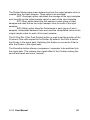
The output of the Generator section is then routed through the Filter
section, consisting of two individual filters. The filter modifies the harmonic
spectrum of the signal. Each filter includes an envelope for controlling the
filters Cutoff parameter, but other parameters of the filter can be modulated
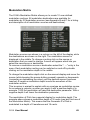
through the Modulation Matrix.
The filters can be either used in parallel or in serial; when in parallel the
filters output is sent to effects 1 and 2 respectively. When in serial, the
CrX4 User Manual
8