1
Industrial PCs OPC6012/6015
18
5 OPERATION
Pos : 22 /D atentec hni k/Bedienung/T ouch Scr een/T ouch Scr een für VMT 60xx @ 1\mod_1246361069977_6.doc @ 5853 @
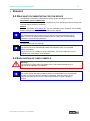
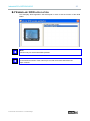
5.1 FRONT CONTROL KEYS
Depending on the device equipment version, an operating system (Windows CE.net,
Windows XP embedded or Windows XP Prof.) and a soft keyboard are already installed ex
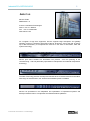
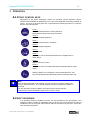
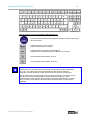
factory. The keys on the front panel are occupied with the following functions by a specific
driver in the soft keyboard:
Level 1:
Activate and deactivate the soft keyboard for
letter/character input using the touch screen.
Level 2:
Decrease display brightness
Level 1:
Change task (Alt+ESC) in Windows.
Level 2:
Increase display brightness
Level 1:
Not connected
Level 2:
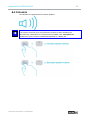
The volume can be decreased with devices equipped with an
audio output.
Level 1:
Right mouse-key function
Level 2:
The volume can be increased with devices equipped with an audio
output
Shift key (SHIFT) for activating the second keyboard level. This
key must be pressed simultaneously with the desired function key
Note:
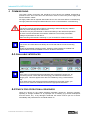
If the software keyboard is not installed, only the functions for display settings and
volume control are active. The controller display will not be output on the display, in
this case.
The key functions can be modified in accordance with customer specific
requirements. Above described functions are pre-set ex works.
Pos : 25 /D atentec hni k/Bedienung/Softkeyboard/Softkeyboar d für OPC / CPC / OTC / VMT / STC- Serie @ 1\mod_1204714082851_6.doc @ 3402 @
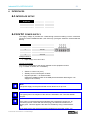
5.2 SOFT KEYBOARD
If an operating system is installed ex works, the soft keyboard is also preinstalled. If the
operating system is delivered separately with the device, the soft keyboard must also be
installed on site. By using the soft keyboard, data can be entered via the touch screen like
with an external keyboard.
© ads-tec GmbH • Heinrich-Hertz-Str. 1 • D-72622 Nürtingen