1
Programming your Receiver
9
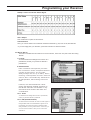
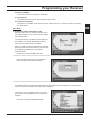
Programming your Receiver in the Main Menu
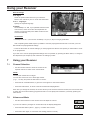
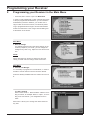
• Press the „Menu“ button to open the Main Menu
In order to receive additional or other channels than those
of the pre-programmed broadcasters, you can install the
broadcasters yourself. In addition, you can also use a
large number of service functions, from antenna positioning to programme lists through to access authorisation.
Follow the instructions in the orange coloured dialog box
at the bottom of the screen.
Main Menu
1. General Settings
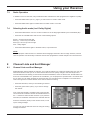
You already used this menu item when starting up the
receiver (Chapter 5). Of course, you can change the
settings at any time to e.g. adjust to a new device location.
NOTE:
When changing from summer to winter time and vice
versa, you must enter the change under menu item 1.
Main Menu
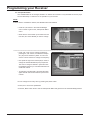
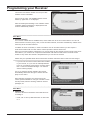
2. Favorite List Manager
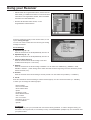
It is necessary to programme a “Personal list“, in order to
be able to use all receiver’s service functions offered.
5 lists are already installed under the names List A to List
E.
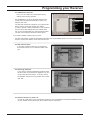
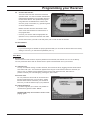
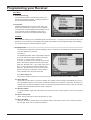
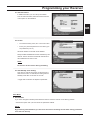
2.1 Edit List Name
Enter a name under “1. Edit List Name“. Name it according to content, for example “News“ or “Sport“, or according to the user the list – your imagination is set no
limits.
Menu item 1 allows you to change the name chosen at
any time.
Page 16
Version 2.0