1
User Manual
Version 1.5
2013-08-21
Software Programming
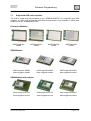
Sub-GHz USB Sticks
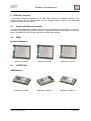
deRFusb-13E00
9.2.
deRFusb-13E00
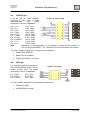
JTAG
deRFusb-13E06
deRFusb-13E06
JTAG
Required Hardware and electrical connection
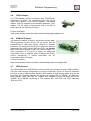
The firmware update of deRFusb radio sticks can be done using the JTAG interface or over
the USB interface itself. To program over the JTAG interface the sticks must be connected
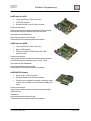
via the small JTAG 10 pin header with a SAM-ICE adapter by dresden elektronik.
Programming over USB requires only a common USB type-A socket.
9.3.
Firmware update via JTAG
The steps to update the firmware are equal for all Windows XP, Vista and 7 Editions.
9.3.1. Preparation for programming
At first ensure that the required programming tool and all drivers are installed on your
workstation. Connect the preferred programmer to your workstation (in the most cases via
USB), the programmers JTAG header to the adapter and the JTAG header of the adapter to
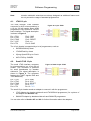
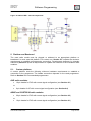
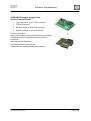
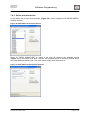
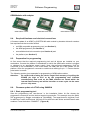
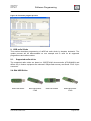
the platform. Ensure that the polarization is correct. Refer to Figure 58 for an example.
Figure 58: USB dongle with attached SAM-ICE and SAM-ICE Adapter
www.dresden-elektronik.de
Page 55 of 61