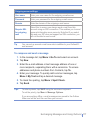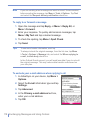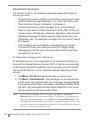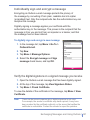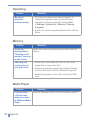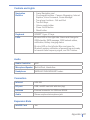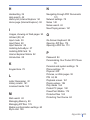
1
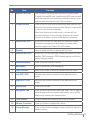
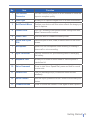
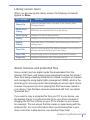
No.
Item
Function
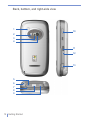
1
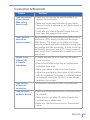
MiniSD Card Slot
Lets you insert a storage card (miniSD) for storing data.
To install the miniSD card, locate the miniSD card slot and
insert the card with the connector pointing to the slot, then
push the card into the slot until it fits into place.
2
POWER Button
Press to turn off your device temporarily and switches the
device to sleep mode; press and hold (about five seconds)
to turn off your device completely.
When your device is in sleep mode, you can still use
the phone function to receive calls; however, the phone
function is off when you turn off the device completely.
3
Notification LED 1
Bi-color LED on the left side: Blue for Bluetooth system
notification of powered-up and ready to transmit radio
frequency signal, and Green for Wi-Fi status.
4
Speaker
Listen to audio media or a phone call from here.
5
Notification LED 2
Bi-color LED on the right side: Green and Amber for GSM
standby, SMS message, GSM network status, notification,
battery charging status.
6
Internet Explorer
Press to launch Internet Explorer.
7
Messaging
Press to quick start your Messaging.
8
Touch Screen
Use to write, draw, or make a selection with the stylus.
9
Left SOFT KEY
Performs the command shown in the label above the
button.
10
Right SOFT KEY
Performs the command shown in the label above the
button.
11
END Button
Press to end a call.
12
Navigation Pad
Press this multi-directional control up, down, left, or right to
move through menus, program instructions; carry out the
selection by pressing the center button.
13
TALK Button
Press to answer an incoming call or dial a number.
14
Volume Controller
Press up or down to adjust the volume.
15
Comm Manager
Press to start Comm manager; press and hold to switch to
vibration mode.
Getting Started | 11