1
Seecode Vision HF920
2.4 Menu Operations
2.4.1 Main Menu
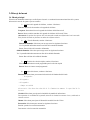
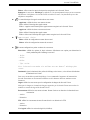
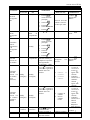
A user friendly menu is provided to assist the user with the product. Listed below are menu page contents and the
options in each menu item:
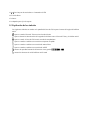
: Phonebook menu containing three sub-menus:
View: Display phonebook records
Download: Download the phonebook records from the handset
Erase: Delete all the phonebook records stored in Seecode Vision
Remarks: Download sub-menu is displayed on the screen only if the HF/HS connection between the
handset and Seecode Vision is established. In addition, it only works with compatible handsets.
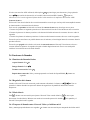
: Call history menu containing two sub-menus:
Incoming: Select to display the following two sub-menus
View: Display’s incoming call history records
Erase: Delete all incoming call history records stored Seecode Vision
Outgoing: Select to display the following two sub-menus
View: Display’s outgoing call history records
Erase: Delete all outgoing call history records stored in Seecode Vision
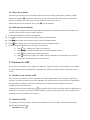
: Hotkey operation menu
View: Display’s the current hotkey setting
Erase: Remove the current hotkey setting
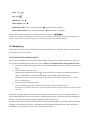
: System setting menu containing six sub-menus:
Backlight: Select to display the following time options. Select one to determine the length of time
the display will be active.
- 10 Sec
- 20 Sec
- 60 Sec
- Always On
Note: Shorter backlight time can extend the use of battery.
Brightness: Select to adjust the brightness of displayed fonts and icon indicators; follow the
brightness indication bar shown on the screen.
It is recommended to increase the brightness of Seecode Vision when you are in a bright
environment and decrease the brightness when the environment is not so bright to achieve best
display effect.
Language: Select to display sub-menus for setting the language of Seecode Vision.
Note that, the languages and quantity of languages that the Seecode Vision supports varies with the
models and software versions of the Seecode Vision.
.
12