1
6
PARAMETER SETTING
CHAPTER6 PARAMETER SETTING
This chapter describes the procedure for setting QJ71PB92V parameters and details of
the parameters.
In this chapter, parameter settings when programs are created using GX Developer or GX
Works2 are described.
When creating programs using GX IEC Developer, refer to the GX Configurator-DP
Operating Manual.
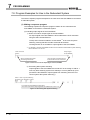
6.1 Parameter Setting Procedure
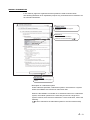
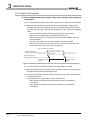
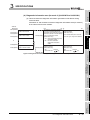
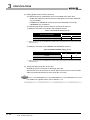
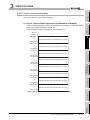
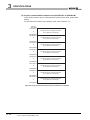
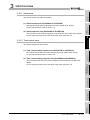
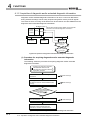
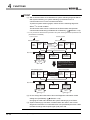
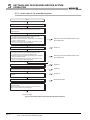
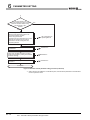
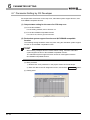
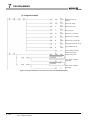
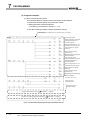
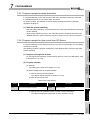
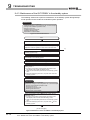
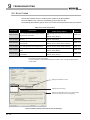
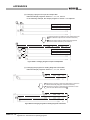
The following describes the QJ71PB92V parameter setting procedure.
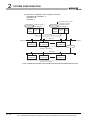
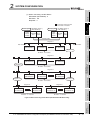
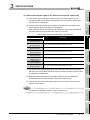
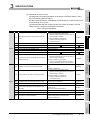
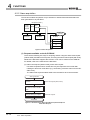
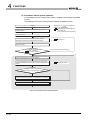
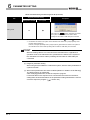
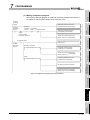
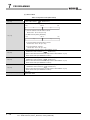
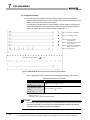
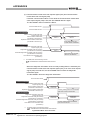
(1) Setting procedure
Start
Install GX Configurator-DP on the personal computer.
Start GX Configurator-DP, and register GSD (DDB) files of
DP-Slaves.
GX Configurator-DP Operating Manual
Create new parameters. (Select the module model.)
Set Master Parameters.
Section 6.3
Set Bus Parameters.
Section 6.4
Set Slave Parameters.
Section 6.5
Use the automatic
refresh function?
No
Yes
Set the automatic refresh parameter.
Section 6.6
Write the parameters set on GX Configurator-DP to
QJ71PB92V.
• GX Configurator-DP Operating Manual
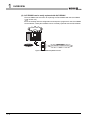
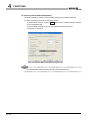
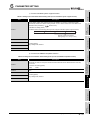
1)
(To the next page)
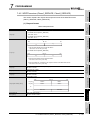
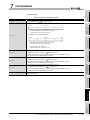
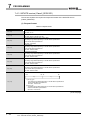
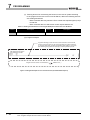
Figure 6.1 Parameter Setting Procedure
6-1
6.1 Parameter Setting Procedure
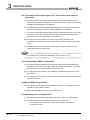
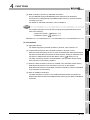
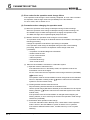
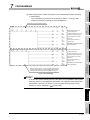
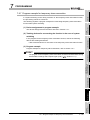
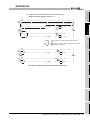
• (2) in this section