1
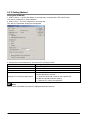
7.4.3 Setting Communication Parameters
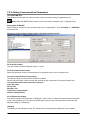
Tool port/COM port
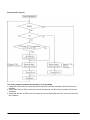
The settings for baud rate and communication format are entered using a programming tool.
Note: When the MEWTOCOL master is used, also select "Computer Link". (COM port only)
Setting with FPWIN GR
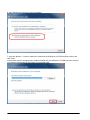
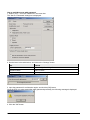
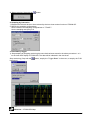
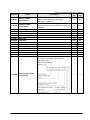
Select "Options" in the menu bar, and then select "PLC Configuration". Click "Tool Port" or "COM Port"
from the left list.
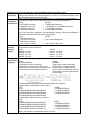
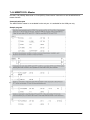
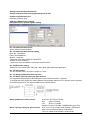
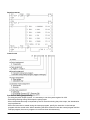
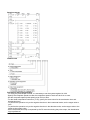
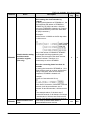
Dialog box of PLC system register setting (Tool port selection screen)
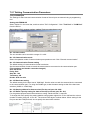
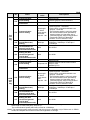
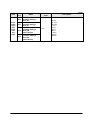
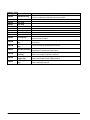
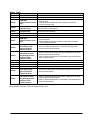
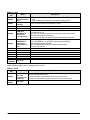
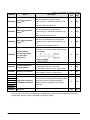
No. 410 Unit number
The unit number can be set within a range of 1 to 99.
No. 412 Communication mode
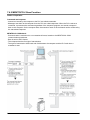
Select the operation mode of communication port operation mode. Click "Computer Link".
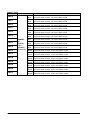
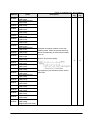
No. 413 Communication Format setting
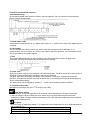
The default setting of communication format is as below.
Set the communication format to match the external device connected to the communication port.
(The terminator and header cannot be changed.)
Char. Bit: 8 bits
Parity: Odd
Stop Bit: 1 bit
Terminator: Setting disable
Header: Setting disable
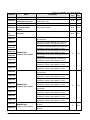
No. 415 Baud rate setting
The default setting for the baud rate is "9600 bps". Set the value to match the external device connected
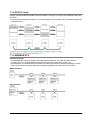
to the communication port. For using the RS485 type, make the same setting as that of the baud rate
switches (19200 or 115200 bps).
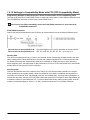
USB port
The setting for the USB port is fixed. The setting for the communication parameter is not available.
7-12