1
XMesh User’s Manual
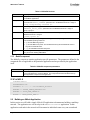
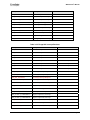
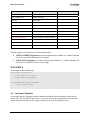
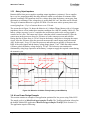
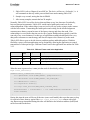
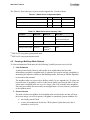
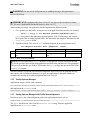
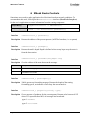
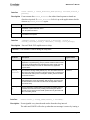
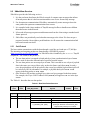
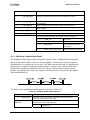
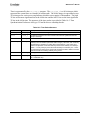
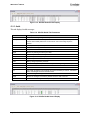
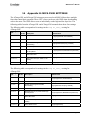
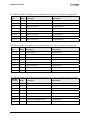
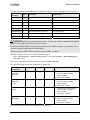
Byte #
Field
Description
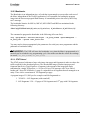
P_ACK (0x40)
– The ACK response to a
P_PACKET_ACK packet. Includes the prefix
byte as its contents.
– An unknown packet type.
P_UNKNOWN (0xFF)
2…n-1
Payload Data
In most cases will be a TinyOS Message of varying
length, which is described below.
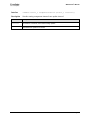
n
SYNC_BYTE
Always 0x7E
9.3
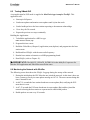
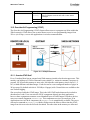
Building XMeshBase
XMeshBase is located in the /Moteworks/apps/XMesh/XMeshBase directory.
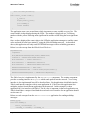
To build the application run the following command from the application directory:
make <hardware platform> base route,hp for XMesh-HP or XMesh-ELP
make <hardware platform> base route,lp for XMesh-LP
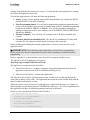
3 IMPORTANT: Before building the application make sure the correct build parameters
are set in the build make files (Chapter 2). If the ROUTE_UPDATE_INTERVAL has been
changed from the default value make sure that XMeshBase and the application are using the
same values in the Makefile.Component.
XMeshBase’s TinyOS message data size must be equal or greater to the application message
size. The default message size for XMeshBase is 55 (see Makefile.component). If the application
data packets are larger than 55 data bytes then build XMeshBase with TOSH_DATA_LENGTH >
55.
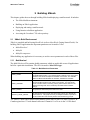
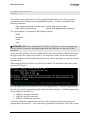
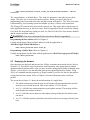
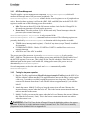
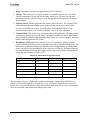
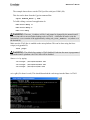
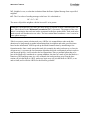
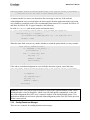
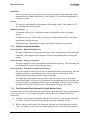
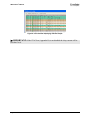
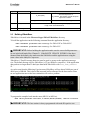
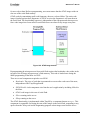
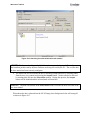
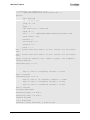
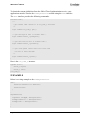
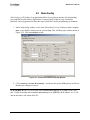
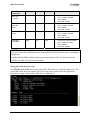
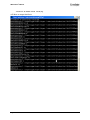
As can be seen from the following Cygwin screen XMeshBase will use about 3600 bytes (out of
4096 bytes) of SRAM. This is due to the increased buffers allocated for the base station. Since
no user application runs on the base station this will not be a problem.
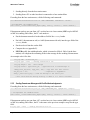
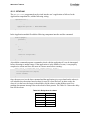
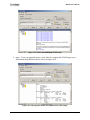
To program the compiled code into the mote (MICA2 or MICAz):
make <mote platform> reinstall,0 mib510|mib510|mib600, <device location>
3 IMPORTANT: The base station is always programmed with node ID equal to zero.
Doc.# 7430-0108-01 Rev. D
Page 77