1
28 •
AudioCodes, Inc.
SmartWORKS User’s Guide
FOR THE SMARTWORKS DP3209, DP6409.
NOTE: PCI express boards are available. Contact your sales representative for information
on hardware availability.
Introduction
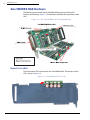
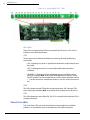
This section explains the SmartWORKS DP and DPeh products. The DP-eh is a fullsized PCI express product with an H.100 bus. For sake of documentation, both
products are referred to as the SmartWORKS DP.
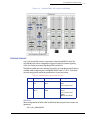
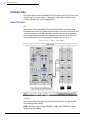
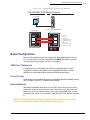
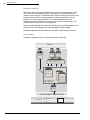
The SmartWORKS DP is a dual passive board designed to tap digital T1/E1 networks.
The board taps the line before its destination (either the Central Office-CO or the
Customer Premises Equipment-CPE) is reached. The tap itself is undetected by both
the CO and the CPE (which consists of a PBX and individual phones or other
communication equipment).
The following section outlines important information relative to features,
installation, configuration and specifications of the SmartWORKS DP card.
UNIQUE FEATURES
The SmartWORKS DP has been designed to provide a complete call recording
solution. The following section outlines board capabilities.
INPUTS
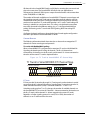
Each channel has two inputs: a primary input and a secondary input which
facilitates digital trunk (T1 or E1) recording. As a result, a two-way mixer is available
for each channel on the SmartWORKS DP board. By default, the mixer is enabled
upon a successful load of the application.
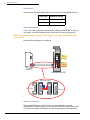
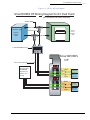
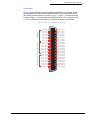
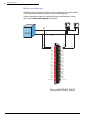
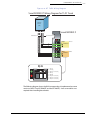
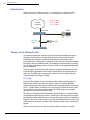
NOTE: Both primary and secondary inputs are mapped respectively to the inbound and
outbound traffic on the trunk(s). It is crucial to follow the proper wiring diagram.
Each input has its own set of DTMF, MF, and activity detectors (Both MF R1 and R2
tones are detected). The primary input also has Caller ID detection and a Call
Progress Monitoring capabilities. All detectors can be enabled or disabled via the
SmartWORKS API.
CALL PROGRESS MONITORING
SmartWORKS’ Call Progress Monitoring (CPM) tracks the progress of outbound calls by
identifying possible call results (or call states). The SmartWORKS CPM was designed around
a signal processing service able to detect and recognize of a wide range of Call Progress
Tones (CPT) - such as dial tone, busy signal, or ringback. CPM has pre-programmed
profiles for typical call progress tones used in North America. These profiles can be
replaced at any time to better suit the needs of a particular application. For more
information refer to the application note: Call Progress Monitoring.
CALLER ID
All SmartWORKS boards detect Caller ID when it is passed over voice channels
(supports Bell 202, V.23 standards). However, Caller ID is not passed over voice
channels on digital networks. When using the SmartWORKS DP to tap T1/E1 lines,
Caller ID is passed to the user application via a call control structure
(MT_CC_CALL_INFO).