1
Note :
-
DLEMODE is not available for Automatic TCP/UDP connection.
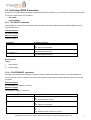
5.1.2. AT+OTCP command
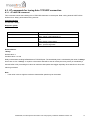
This command sent by the attached host to open a TCP connection to the TCP server specified by the AT+IPCTP
command. If socket connection is made successfully it will response CONNECT 115200 and the serial port will go to data
mode, all data entered to the serial port will be sent to remote TCP/UDP peer.
If socket connection is unsuccessful or socket is disconnected afterwards the modem will send out NO CARRIER
message and back to command mode.
Command Syntax
AT+OTCP
Response syntax:
CONNECT 115200
Command
AT+ OTCP
Possible responses:
CONNECT 115200
Note : TCP connection made successfully
+CME ERROR 3
Note: fail, either IPCONNECT is not ready or socket service
is used already
NO CARRIER
Note: possibly remote server no response
AT+ OTCP
AT+ OTCP
Note :
-
AT+OTCP connection is exclusive to other TCP feature. See Chapter (Q&A)
-
If TCP connection is unsuccessful or broken after connection the GPRS connection will also be disconnected.
(+IPCONNECT: 1,0). So please enter AT+IPCONNECT=1,1 to reconnect GPRS before entering AT+OTCP.
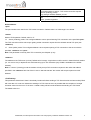
5.1.3. AT+OUDP command
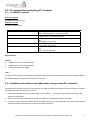
This command sent by the attached host to open a UDP connection to the UDP server specified by the AT+IPUDP
command. If socket connection is made successfully it will response CONNECT 115200 and the serial port will go to data
mode, all data entered to the serial port will be sent to remote UDP peer.
If socket connection is unsuccessful or socket is disconnected afterwards the modem will send out NO CARRIER
message and back to command mode.
Command Syntax
AT+OTCP
Response syntax:
CONNECT 115200
Command
AT+ OUDP
AT+ OUDP
Possible responses:
CONNECT 115200
Note : UDP connection made successfully
+CME ERROR 3
Note: fail, either IPCONNECT is not ready or socket service
is used already
Confidential, the whole present document is the sole property of Maestro Wireless Solution Ltd.
18