1
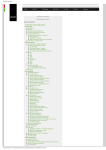
LadState ver 1.0: Experimental Method Editor 5.2 Set Session Variables Double click the line of the ”Session Variables” in the state panel. Upon entering a state, the following session variables can be operated: State entry: Counter& Timer Variables State entry: Temporary Counter State entry: Analog Variables State entry: Save Temporary Variables State entry: Video Tracking Variables 5.2.1 State Entry: Counter& Timer Variables When a state is started, the counter and timer variables can be operated. Counter variable has operations: +1: increase one -1: decrease one R: reset to zero three Counter variable can be “Enabled” or “Disabled”. In the start of a session, all counter ariables are “Enabled“. Timer variable has operations: Start the timer Read/Stop the timer two 5.2.2 State Entry: Temporary Counter Temporary data are not saved in the data file automatically, but can be assigned to a session counter variable. 16