1
14
15
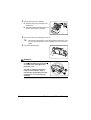
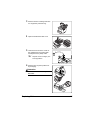
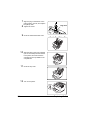
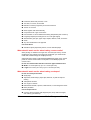
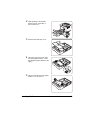
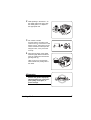
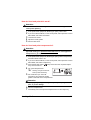
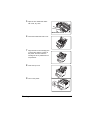
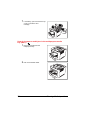
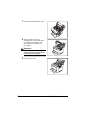
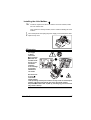
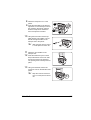
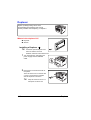
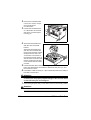
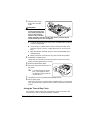
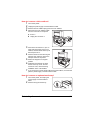
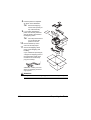
Insert the 4-bin mailbox cable into the
connector on the left side of the
printer until it locks into place.
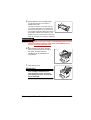
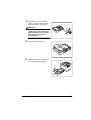
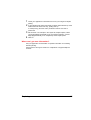
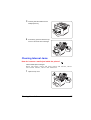
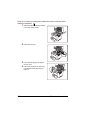
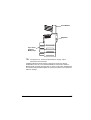
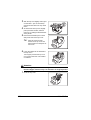
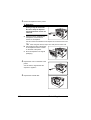
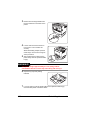
Install the four mailbins (trays) onto
the 4-bin mailbox by inserting the
tabs on the left and right sides of the
tray into the slots in the 4-bin mailbox.
Install the trays starting from the
bottom.
16
17
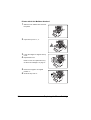
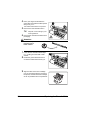
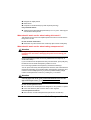
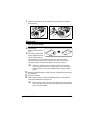
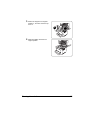
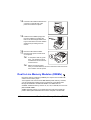
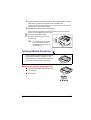
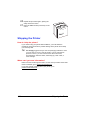
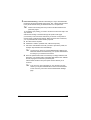
Reconnect all interface cables.
Reconnect the power cord and turn
on the printer.
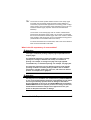
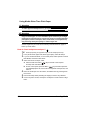
In compliance with UL guidelines, “The appliance inlet is
considered to be the main disconnect device.”
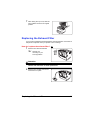
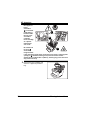
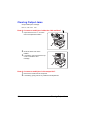
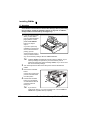
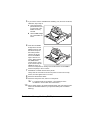
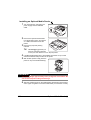
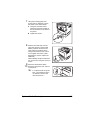
Before moving the printer,
even just a small distance, be sure to disconnect and remove the
4-bin mailbox from the printer.
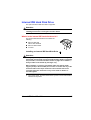
Dual In-Line Memory Modules (DIMMs)
Dual in-line memory modules (or DIMMs) are compact circuit boards with
surface-mount memory chips.
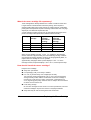
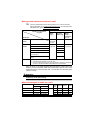
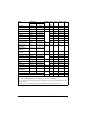
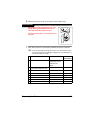
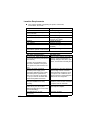
Your PagePro 9100 comes with 64 MB SDRAM printer memory. However,
you can upgrade the PagePro 9100 to a maximum of 512 MB of RAM
through the installation of additional DIMMs. Two DIMM slots are
available. Additional memory must be 32, 64, 128, or 256 MB, PC-100 Compliant SDRAM DIMMs.
Additional memory allows you to download more fonts and increase the
printer's buffer (area where data sent from the computer is stored while
110
Dual In-Line Memory Modules (DIMMs)