1
4. SIMS
Installation
The plug-in is currently shipped in a zip file, with a separate plug-in installer planned for a
future release. Until then, you are advised to use the Attix5 Pro Deployment Wizard to package
and include the plug-in in a standard Server Edition installation file (MSI). More information is
available in the Attix5 Pro Storage Platform Console User Manual.
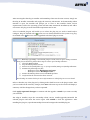
To install the plug-in manually:
1.
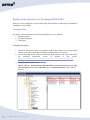
Close the Backup Client and then stop the Attix5 Pro SE service in the Control Panel.
2. Only applicable if an older version of the plug-in is already installed: Browse to the
Backup Client plugins subfolder (the default location is C:\Program Files\Attix5
Pro\Backup Client SE\plugins) and rename the existing sims_plugin.jar file to
sims_plugin.old.
3. Copy the sims_plugin.jar file to the plugins folder and then start the Attix5 Pro SE
service again.
4. Open the Backup Client and configure the plug-in sections.
Auto Updates
As with all Attix5 Pro plug-ins, the SIMS/FMS/Discover plug-in will automatically be upgraded
during the backup process when an update is available on the Storage Platform, if the Storage
Platform is already running a later version of Attix5 Pro (and configured to do the update
automatically). This negates the need to manually update all plug-ins in your environment.
17
Copyright © Attix5. All rights reserved.