1
SECTION 2: GETTING TO KNOW YOUR PHONE
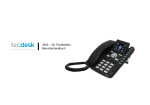
Function of buttons
1.[ ] Options button
Press to display options for the current screen.
2.[ ] Camera Image Rotation button
Press to rotate the camera image.
3.[ ] Headset button
Press to use the phone via headset rather than receiver (necessary for RJ11 connected headsets only).
4.[ ] Back button
Press to revert to the previous screen or to go back to home screen.
5.[
] Dial button
Press to dial out or answer a call.
6.[
] End button
Press to terminate a call or power ON/OFF.
9