1
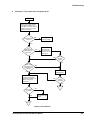
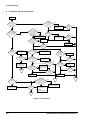
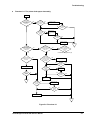
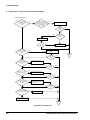
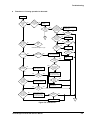
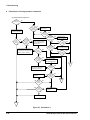
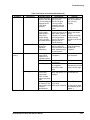
Troubleshooting Flowchart 3-1: The printer feeds paper abnormally. Start After CR lock is released, does PF roller move when printer is turned on? Is the PF motor cable securely connected to CN13? NO NO Connect the cable securely to CN13. YES YES NO Is the resistance of the PF motor coil normal? YES Is the operation normal? Replace the PF motor. Check the drivers and replace if bad. NO YES Is the operation normal? YES NO Replace the MAIN board. End END After printer power on, does it keep trying to feed paper and indicate a fatal error? After printer power on, does it keep trying to eject a sheet and indicate a fatal error? NO YES If the LOAD button is pressed or printing is activated, does a fatal error occur? NO YES Foreign matter is lodged on the PF sensor in the upper paper guide assembly. NO Foreign matter is lodged on the ASF HP sensor. Continued on Figure 5-5 (A). Is the PE sensor working normally? Remove the foreign matter. Remove the foreign matter. NO NO YES YES NO Is the operation normal? YES Replace the PE sensor. YES Is the operation normal? NO NO Is the operation normal? YES YES Replace the MAIN board. End END Is the ASF HP sensor working properly? NO Replace the ASF HP sensor. YES NO Is the operation normal? YES Replace the MAIN board. End END Figure 5-4. Flowchart 3-1 EPSON Stylus COLOR 800 Service Manual 5-7