1
ClickCartPro Version 6.0.6 User Manual
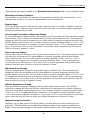
options to continue, set this column to “1”.
the default “0”.
If the product is truly optional, simply leave it at
The cssclass column just tells the file that controls the look and feel of your site, that this is
using the khxc_formfield format. If you’re not familiar with css/xhtml programming, just leave
this at the default value.
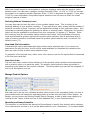
The xprodoptionsel column is where you’ll list the products that are within this particular
option. If the option is VGA cards, this is where you’ll list the various choices. You’ll simply use
the ID numbers that you created in the ccp0_prodoptionsel spreadsheet.
The next column for the ccp0_prodoptions spreadsheet is the useinventory column. Like the
previous spreadsheet we worked on, ClickCartPro is happy to track the stock of your options, but
you must make sure that the product they’re associated with is set to track the stock.
The final column is called fieldorder and allows you to choose the order with which your
product options are presented within a product. Like all ranking items within ClickCartPro, the
lower the number, the earlier it’s presented in the order.
Quick Start- Adding Products
So now we’ve prepared our Categories and our Product Options. We’re finally ready to put a few
new products into our store. Now when our Product spreadsheet asks us about which category
we want the product in or the options it needs, we’ll already have those IDs handy.
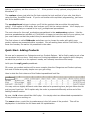
Let’s open the ccp0_prod spreadsheet.
Of course, our product entries will be more complex than the Categories and Product options,
but most of these are pretty simple once you get rolling.
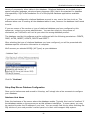
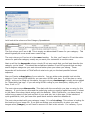
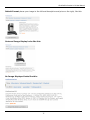
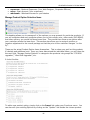
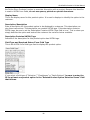
Here is what the first columns of the Product spreadsheet look like:
You may notice a slightly different order than what we’re presenting here, but just follow the ids
and you won’t get lost. We’ll explain why the order is presented differently at the end of the
Adding Products section.
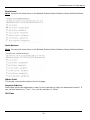
By now, the id column should be child’s play. You simply select an abbreviated representation
of the product your working on.
The name column, much like its predecessors is the full name of the product. This will be
displayed so it should be the full name and full capitalization.
42