1
IT
User Guide - DTC
Guide for Mobile
Devices
Owner
Jacqueline Sandford
Author
Jacqueline Sandford
SME
Rakesh Chauhan
Contributors
Fliss Zakasweska, Stevie Kennedy
Review Date
Version Control
Issue
Date
Name
Description
0.1
7th July 2015
Stevie K
Draft
Associated Documents Links or SharePoint Project Site
Page 1 of 23
User Guide - DTC Guide for Mobile Devices
Table of Contents
Table of Contents ....................................................................................................................... 2
What is a Departmental Telecom Coordinator?..................................................................... 4
Responsibilities of Departmental Telecoms Coordinator ...................................................... 4
Mobile Device (SIM-Enabled) Policy Guidelines ................................................................. 5
Guidelines for Users using their own personal mobile .......................................................... 5
The New Vodafone Mobile Worker Tariff ............................................................................ 5
Vodafone & O2 Contacts Details & Vodafone SLA Guidelines ........................................... 6
Service Level Agreement (SLA) Guidelines - Vodafone ...................................................... 6
O2 Contact Details (for legacy mobiles only) ....................................................................... 8
KCeP Ordering Procedure ..................................................................................................... 8
Vodafone Pricing ............................................................................................................... 8
Vodafone Equipment Credit .............................................................................................. 8
Process to Raise PO ........................................................................................................... 9
Vodafone Billing & Online Portals...................................................................................... 13
Hints & Tips on managing your Department’s Mobiles...................................................... 14
Ordering Devices ............................................................................................................. 14
Device Security ................................................................................................................ 14
Leavers & Joiners ............................................................................................................ 14
Inventory List ................................................................................................................... 14
Recycling of Equipment and Numbers ............................................................................ 14
Disposal of Equipment ..................................................................................................... 15
Ongoing Monthly Bills .................................................................................................... 15
Frequently Asked Questions ................................................................................................ 15
What is the New Mobile Device Policy? ......................................................................... 15
How do contracts work here at the university? ................................................................ 15
How do I move my existing mobiles over to the KCL Contract? ................................... 16
Can users select one of the other networks, i.e. O2, EE or 3? ......................................... 16
Vodafone signal is not very good in one of my users’ areas. What can be done about
this? .................................................................................................................................. 16
How will the new policy impact existing mobile users? ................................................. 16
How do I cancel my contract? ......................................................................................... 16
What happens when a university contracted device reaches the end of its minimum
term? ................................................................................................................................ 17
Are we able to source mobile devices outside the university Policy? ............................. 17
Page 2 of 23
User Guide - DTC Guide for Mobile Devices
Am I able to select an alternative device to the Microsoft Nokia? .................................. 17
What are Mi-Fi devices? .................................................................................................. 17
Are there any rules around the use of Mi-Fi devices? ..................................................... 17
Can users use their own Mi-Fi device in connection with the King’s Policy? ................ 17
Are iPads and Tablets available under the new policy? .................................................. 18
One of my users has a personal device that they currently claim through expenses, can
they continue to claim? .................................................................................................... 18
Can an employee transfer their personal number onto a university contracted mobile? . 18
What is the procedure to transfer an existing number to the university Corporate
Account? .......................................................................................................................... 18
Where can I find details on the available tariffs? ............................................................ 19
How long will it take to receive a new/replacement device?........................................... 19
DTC – Trouble Shooting Hints & Tips.................................................................................... 21
What happens if a user’s phone doesn’t arrive? .............................................................. 21
The SIM isn’t working, or is the wrong size? .................................................................. 21
http://www.kcl.ac.uk/mobile/Mobile-Devices.aspx ........................................................ 21
How do users find out what their PIN or PUK codes are? Contact the Vodafone
Helpdesk who will help. .................................................................................................. 21
Is there a special tariff available if a user wishes to take their mobile out of the UK?
(Roaming Tariff) .............................................................................................................. 21
What to do if a user reports a fault with their Mobile Device ......................................... 22
What to do if a user reports a lost or stolen Mobile Device ............................................ 22
What type of invoice have I been sent? ........................................................................... 22
How do I change details on bills? .................................................................................... 22
Why is the cost of equipment much higher when you wish to replace an existing device?
.......................................................................................................................................... 22
Page 3 of 23
User Guide - DTC Guide for Mobile Devices
What is a Departmental Telecom Coordinator?
Departmental Telecom Coordinators (DTCs) are people nominated to be responsible for
managing the mobiles on behalf of their department. The DTC is an authorised contact with
Vodafone and are therefore able to deal directly with the supplier for any queries associated
with the mobiles for their Department.
Responsibilities of Departmental Telecoms Coordinator
The DTC is responsible for:
i)
ii)
iii)
iv)
Pointing users to the new Mobile Policy, which outlines that the university has
standardised on a single Microsoft Windows device. Details of the current model can
be found here http://www.kcl.ac.uk/mobile/Mobile-Devices.aspx
Ensuring the appropriate approval process for mobile device requests has been followed
and adhered to.
Confirming that Head of Department (or equivalent) approval has been sought for
university contracted Microsoft Windows devices or that approval has been provided to
enable the user to select an alternative device at a higher price.
Raising (or coordinating the raising of) a purchase requisition on KCeP to cover the
ongoing line rental and estimated airtime costs for the full 24-month contract term.
Accounts Payable will not pay airtime invoices if there is no Purchase Order (PO) on
the invoice. If an alternative model of device is sourced a PO will need to be raised for
the equipment too.
v)
Once a Purchase Requisition (PR) has been approved, completing a Vodafone mobile
device order template with all the relevant information
vi) Receiving delivery of users’ new devices and receipting equipment orders on KCeP
once the invoice is received (where the device is chargeable).
vii) Monitoring Department monthly invoices for department mobiles:
a. Ensuring invoices are authorised to enable invoices to be paid on time.
b. Check with the person who receives PO mismatch reports to ensure that your
mobile invoices are on not on this report and if they are, to resolve the
mismatch.
viii) Raising any invoices queries directly with the Network Provider
ix) Use the Vodafone Online Portal to help monitor Department usage and identify
anomalies for further investigation, such as unusually high usage or nil usage which
may suggest a device is no longer being used and could potentially be reallocated or
cancelled.
x)
Liaising between the Helpdesk at Vodafone and the end user regarding any issues or
queries.
xi) Responsibility for keeping up-to-date records of Department mobile users and putting a
leaver’s process in place to ensure that mobiles are either reallocated, cancelled or
transferred.
a. If a user is moving Departments within the university, Vodafone should be
informed so that their mobile bill follows them to their new Department and
Cost Centre.
Payment of any associated invoices for a device originating from your Department will
remain the responsibility of your Department until they have been successfully
transferred to another Department or cancelled. Therefore, it is important that you
Page 4 of 23
User Guide - DTC Guide for Mobile Devices
monitor such activity, keeping email correspondence and associated reference numbers
provided by Vodafone, to ensure that requests or changes have taken place.
Please note also that changes to bills can take over a month to take effect as it depends when
the request is received in relation to the billing cycle. Therefore, please expect to pay final
bills for users before they transfer over to the new department. The same will apply to
disconnections when users leave and there could be termination fees payable at this point,
especially as we have recently entered a new 24-month contract with Vodafone. Considering
this, you may prefer to retain the mobile device and reallocate to a new starter, rather than
pay termination fees.
Mobile Device (SIM-Enabled) Policy Guidelines
A university contracted device may be provided where there is a need for shared or frequent
usage or a requirement to make International calls or use roaming data. Requests need to be
approved by Head of Department (or equivalent) and should only be made if for a legitimate
business requirement. Alternative devices are available, including iPhones, but at a higher cost
and therefore will require a business case to be submitted, before the request can then be
approved by Head of Department (or equivalent).
Mobile Data Mi-Fi devices, will only be available following submission of a business
justification and where deemed to be essential for university business. These will also be
subject to approval by Head of Department (or equivalent).
Tablets will not be available as standard and require authorisation from Head of Department
(or equivalent) before they are purchased. If approval is gained a Tablet with a Data Only
SIM can be ordered from Vodafone.
The university receives an Educational discount from Apple so it is worth comparing
their pricing with Vodafone before purchasing to ensure you receive the lowest price.
See link: http://store.apple.com/uk_edu_5000702
Guidelines for Users using their own personal mobile
Where approval has been granted (by Head of Department or equivalent), users may use their
own device and claim back legitimate expenses up to a maximum of £10 for chargeable calls
per month via the university expenses policy. This may be an option for infrequent users or
where a university contracted device is not warranted. The expense claim would need to be
accompanied with a statement that all items claimed are for legitimate business use and a copy
of detailed itemised usage.
The New Vodafone Mobile Worker Tariff
The new Vodafone Mobile Worker Tariff can be found at
http://www.kcl.ac.uk/mobile/Mobile-Devices.aspx
Page 5 of 23
User Guide - DTC Guide for Mobile Devices
Vodafone & O2 Contacts Details & Vodafone SLA Guidelines
VODAFONE Contact Details
Email Address:
regional@help.vodafone.co.uk
Contact No:
03333 043333
You will be asked to enter your account number. Enter the
Billing Account Number (BAN) for King’s: 602957546.
Each Department has its own bespoke Billing Entity Number
(BEN) that follows the BAN and is 2 or 3 digits. There are a
small number of accounts under a different BAN to the one
above, so please check your latest bill to identify it.
Point of Escalation:
Customer Services Team Leader
Contact:
Milena Hancock
Email:
milena.hancock@vodafone.com
Tel No:
07876 392528
Security Process DTC’s:
Vodafone will check you are on the authorised contact list and
will ask for the password which you should have already
received.
End users, if contacting Vodafone themselves, will need to
quote password of “Sunflower” and may also need billing
address associated with their mobile.
Service Level Agreement (SLA) Guidelines - Vodafone
Device Orders
-
48 Hours depending on stock
Orders placed via email will be processed and equipment dispatched, subject to stock
availability, within 48 hours of receipt of order. If the order is urgent, it can either be placed
via the Vodafone Corporate Online portal and, if placed before 12pm, can be processed and
dispatched within 24 hours or the authorised contact can call the Vodafone Helpdesk team
with their reference number and advise the order is urgent and the team will do their best to
process as quickly as possible.
Email Reponses
Page 6 of 23
-
Simple Queries
24 – 48 Hours
User Guide - DTC Guide for Mobile Devices
Simple queries received by email, such as SIM swaps, barring or unbarring a mobile number
due to lost or stolen device, requesting PUK codes to unlock a device or activating or lifting
an international or roaming bar can be dealt with over the phone, but if emailed in, will be
responded to within 24 - 48 hours.
Email Reponses
-
More Complex Queries
Up to 10 Working Days
More complex queries or administration tasks that will take longer to carry out such as
requesting copies of bills, billing amendments i.e. name and cost centre changes, requests for
reports or bulk changes (10+) to any billing, etc. will take longer to action.
Faulty Handsets
-
24 – 48 Hours depending on stock
Handsets purchased from Vodafone have a 24-month warranty (except Apple Devices which
only have 12 months.) If a user has a faulty handset that was originally purchased from
Vodafone and is still within Warranty (the IT Service Desk will confirm), the user can call
the Vodafone Help Desk directly to organise a warranty replacement. They will need to
quote a password “SUNFLOWER”.
The end user will be given instructions, as collection and delivery of the warranty
replacement must be done on the same day, between 8am and 6pm. They need to quote their
IMEI number and recipient address including named contact with contact mobile number (not
the faulty device number). The couriers will then text the DTC with the ETA within an hour
window. This is important as they will not wait more than 5 minutes and they will not
leave the replacement device if the faulty device isn’t available to collect. The user will be
provided with a refurbished device, unless the fault is reported within the first 14 days, then a
new device will be issued. Batteries are only covered for 12 months. Should the handset be
outside the 24-month warranty or if it is accidental damage (i.e. dropped, cracked screen or
water damage) a standard repair charge of £55 +VAT will be chargeable (excluding iPads).
The user will be referred back to their main authorised contact who will need to issue a
purchase for this transaction, before the warranty replacement device can be organised.
Vodafone will not cover devices purchased from O2 and if faulty a PO will need to be
raised to purchase a replacement device.
Barring Lost or Stolen Devices
-
Immediately via phone call
The end user or DTC must ring the Vodafone help desk immediately and put a bar on the
mobile device if it is lost or stolen. Any calls that are incurred before the bar is in place are
the responsibility of the user and the university. Only the DTC can take the bar off if the
device is subsequently found.
Voicemail
-
Voicemail Set Up
All handsets will come set up for voicemail. The user can dial “121” from the device to set up
a PIN and personalize their greeting. Users who travel outside the UK should set up their
PIN before they travel to enable them to access their voicemail whilst away.
Voicemail
-
Pin Reset
Should the user need to reset their PIN; they will need to ring the Vodafone helpdesk to
request this. They will then receive a text message within a couple of hours confirming their
new PIN.
Page 7 of 23
User Guide - DTC Guide for Mobile Devices
O2 Contact Details (for legacy mobiles only)
Email Address:
PSN.customerservice@o2.com
Contact No:
0800 9020213 (enter the Pin no: 62401)
If you are ringing to clear outstanding invoices, you should quote “KCL Invoice”.
If you have users who have remained on O2 due to contract commitments, you should be set
up as an authorised contact with O2 and quote the password on the account which should be
emailed to you. If not, please contact the KCL Service Desk Ext 8888 / 8888@kcl.ac.uk to
seek confirmation.
KCeP Ordering Procedure
Vodafone Pricing
On the Vodafone price list there are two types of pricing relevant to the university.
Discounted Price “S”; this is the price of the equipment available for a new connection/new
number or a first time upgrade on an existing number.
Standard list Price “U”; this is the price of the equipment for a second time upgrade. This is
usually when a user has lost his/her device or had it stolen or accidental damage.
Vodafone Equipment Credit
For new connections for new users, or a first time upgrade under the new agreement with
Vodafone, we receive £50 credit towards the cost of the new device. In this instance you
would take the Discounted Price “S” and deduct £50 to ascertain the value for which you
raise your PO.
The majority of users will have had their device upgraded when they transferred to Vodafone
from O2. In these cases the £50 equipment credit will likely already have been used and the
mobile number will have entered a new 24-month contract. Therefore, the price you would
raise the order for would be Standard List price “U” without deducting the £50 credit.
The equipment credit is available for new connections of handheld devices or data MIFI
devices and is only available against mobile numbers that generate monthly on-going revenue
and not against any equipment purchased such as accessories or Sure Signal Devices.
Should a user lose their device or have it stolen and need to order a replacement, this is called
an ‘in-contract upgrade’ and would not attract a further £50 credit. The cost of the equipment
will chargeable at Standard List Price “U”.
Page 8 of 23
User Guide - DTC Guide for Mobile Devices
Process to Raise PO
The DTC needs to raise a Free Format order on KCeP, under supplier Vodafone Corporate,
for both the equipment and the airtime, unless the airtime element has already been raised i.e.
if you are upgrading an existing connection for which you should already have an airtime PO
raised to cover the 24 month contract period. The PO should also cover any predicted out of
bundle charges for the 24-month contract term. Out of Bundle call charges relate to calls that
are not included in the current bundle, i.e. roaming voice and data charges, international calls,
premium texts etc.
The purchase requisition should include the User name & Cost centre as mandatory
information, use H38 if it’s there in KCeP, if not please contact Research Grants and
Contracts for an appropriate code to use.
Once the PO is raised, please follow the Order Processing Procedure.
Cost of Equipment
The current standard university Windows device is discounted to £50 for a new connection,
so minus the £50 equipment credit, means the device is free. As Vodafone do not produce an
invoice when equipment is provided free of charge, you do not need to raise an order in
KCeP for the hardware element of the order. There will be two exceptions to this:
1. Ordering an alternative Device at higher cost than FOC
If your user has had Head of Department (or equivalent) approval to order an alternative
device, the device will be higher and therefore will require a PO.
2. VIP Order
If you are placing an order for a VIP within your Department, a higher spec device is offered,
currently the Microsoft Nokia 830. The cost of this device is £150 for a new connection, so
minus the £50 equipment credit, the price for which you would need to raise an order in
KCeP would be £100.
Always check the latest price of equipment with the Vodafone Help Desk or on the IT
Intranet page, as it does change monthly.
The IT Service Desk hold a list of those who qualify as a VIP.
On-going Monthly Line Rental Costs
As part of your PO, the on-going airtime would be to cover the on-going monthly line rental
costs of the tariff per user over the 24-month term.
Page 9 of 23
User Guide - DTC Guide for Mobile Devices
For the new tariff this will be £10 per month over the 24-month period. This line rental
includes UK calls to 01, 02, and 03, UK mobiles, UK Standard text messages and 2GB of 4G
data. This would total £240 over the 24 month contract.
Predicted out of Bundle Charges
A user may make calls that are not included within their monthly line rental, i.e. calls and
texts to premium rate numbers, international/roaming calls or uses data outside of the UK,
these will be charged over and above the monthly line rental. Therefore, you should allow a
buffer within your PO to cover this.
The average monthly cost per user on the new Vodafone tariff is estimated at £15 per month
based on the last 12 months usage based on an average non roaming user. Therefore, the total
amount required per user will be an additional £360 over the 24-month period.
It will be higher than this if you have a regular international traveller. It is recommended you
look at least the last three months bills to calculate a predicted out of bundle spend. This will
need to be monitored to ensure that your PO retains enough value to cover the monthly bills.
To raise your PO, combine both the monthly line rental and the predicted out of bundle call
cost and raise that as a single line within the PO. Please enter the user name and mobile
number if known within the description field.
For Data Mi-Fi Devices or data SIM only (for Tablets), most tariffs have a fair usage that
means unless you are roaming, they should remain within the monthly rental charge.
Therefore, you would not initially put an estimated call charge line in unless you have a
regular international traveller, in which case you should make allowances for this in a
secondary line, as per the call charges.
There is guidance on the web-site at:
https://internal.kcl.ac.uk/about/ps/finance/ptop/Processes/processes.aspx
Please find below two examples of how to raise the PO within KCeP.
Examples of orders
1. One line per person – quote mobile number and users name
2. One line to cover all departmental mobiles e.g. nine users
Page 10 of 23
User Guide - DTC Guide for Mobile Devices
If you have separate cost centres within your Department, a separate line will need to be
raised on your PO per cost centre.
Set the delivery method of the PO to manual as the end user/DTC then needs to complete the
Vodafone Order Template.
Do not provide the PO number to Vodafone, until it has been internally approved in
KCeP.
See link for further example of how to enter the order
https://internal.kcl.ac.uk/about/ps/finance/ptop/Processes/Non-standard-PDF/PR-byAmount.pdf.
Vodafone Ordering Process & Order Template
In order to place an order with Vodafone, you must be set up as an authorised contact. If you
are a new DTC the King’s IT Service Desk can organise this on your behalf, either ring ext
8888 or email 8888@kcl.ac.uk.
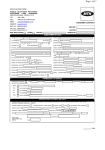
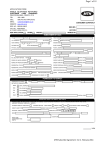
To place an order with Vodafone please complete the Vodafone Order Template can be found
at: http://www.kcl.ac.uk/mobile/Mobile-Devices.aspx
You will see there are 4 horizontal sections requiring completion:
Contact Information:
Some of it is self-explanatory, i.e. your contact name, telephone number, email address and
date you are raising the order.
The PO Box is where you would put your EQUIPMENT PO, if you have an alternative
device that is not FOC.
Leave the authorisation box and signature box blank.
Equipment Credit:
There is a box on the top right hand size of the order template that says: Equipment Credit,
Use now. If you are placing an order for a new device for a new connection or first time
upgrade or you are ordering data Mi-Fi as a new connection, put YES in this box to ensure
that the £50 equipment credit is offset against the equipment price.
Equipment/Accessory:
Part Number: Enter the part number for the associated device you are ordering. If you are
ordering the standard university Nokia 635, just put Nokia 635. If, however, you are
purchasing an alternative device there may be several options available i.e. for iPhone there
are 4 different models each having 3 options for memory size. Call the Vodafone Helpdesk to
confirm the exact part number required.
Page 11 of 23
User Guide - DTC Guide for Mobile Devices
QTY: Quantity is always one, even if ordering multiple devices of the same model, as you
need to detail relevant information per device as follows:
User Name: This is a mandatory field and should have the user name. ‘TBA’ will not be
accepted.
Mobile No: Put ‘Allocate New Number’ if it is for a new starter/new connection. If this is an
upgrade, please put their existing Vodafone mobile number into this box.
Cost Centre 1: This is their Cost Centre/Budget Code and should always be completed.
Cost Centre 2: This is the airtime PO you have raised for this individual and should be the
full PO with the letters at the front and -1 at the end, not the requisition number. This will
then be displayed on the airtime invoice next to the mobile number. It may be the same as
the equipment PO that you have raised, but please still put this in the box as the equipment
invoice will be raised separate to the airtime invoice.
Tariff Option: All users are on one voice tariff; P4MW1/PSN MobileWorker + 2GB 4G
data. If you are ordering a Data Mi-Fi Device or a Data Only Sim for a tablet, the tariff is
PSN MBB Professional 5GB (this is the standard tariff and should be sufficient for the
majority of users. There are two additional tariffs with higher GB of data available for heavy
users. Please see the Mobile Worker Tariff for details).
Additional Services: As standard, all devices are barred for International Calls (Calling
from UK) and Roaming (Calls made whilst abroad) If you have a new user who requires
either or both of these bars lifting. Please put LIFT INT BAR or LIFT ROAM BAR or for
both LIFT INT/ROAM BAR
Account Number & Delivery Addresses:
This part of the template and must be completed correctly to avoid billing errors:
Ongoing Airtime Account Number: The majority of Departments, especially all the users
who ported over from O2 are under the main BAN, 602957546. You will then have a 2-3
digit BEN number specific to your Department. You may have more than one if you have
requested some of your users to be on separate accounts. If you are unsure, please check with
the Vodafone Help Desk by quoting one of your existing mobile numbers.
If you are a new Department setting up an account for the first time, put BAN 602957546NEW on the order template and add “Please set up new BEN” in the special instructions box.
Equipment Deliver Address: Put the delivery address where you want to send the
equipment. Equipment should always be sent to the DTC and not the end user directly, to
enable the DTC to receive the goods and therefore receipt the associated PO on KCeP, where
relevant. Please ensure you include the full contact name of the DTC, including the room
number for the delivery address, to avoid delays.
Ongoing Airtime Invoice Address: All invoices go to Central Payments Team, Room 6.34,
JCMB, 57 Waterloo Road, London, SE1 8WA. All you need here is DTC name, Department
name in front of the C/O Central Payments address which should already be populated on the
template.
Equipment Invoice Address: Leave blank.
Car Kit Installations: Leave blank.
Page 12 of 23
User Guide - DTC Guide for Mobile Devices
Special Instructions: Input any additional information or special instructions for the
ordering team within Vodafone. Always enter, ’please offset £50 Equipment credit per
connection against this order’ if appropriate to ensure the equipment invoice will be raised at
the reduced rate. It is helpful to add, ‘please send me the new mobile number as part of the
confirmation’ as this will enable you to keep your records up-to-date. It is also useful if you
are placing a multiple order, so when the equipment and SIMs arrive you know which one
Vodafone has issued on the billing system to which user. You can of course add any
additional special instructions that you have.
Vodafone Billing & Online Portals
Vodafone provide billing on a monthly basis and bill one month’s line rental in advance.
Each month a bill will be produced for your Department. This may be on one or more BENs
depending on how you asked for your account to be set up. These bills will be sent directly to
Accounts Payable and should have the PO you have raised for the ongoing airtime. You will
be able to view your bill by accessing the Vodafone Billing Manager (VBM) via the online
portal.
Vodafone’s online portal (VCO – Vodafone Corporate Online) enables you to process orders
online (once training has been given) as well as carry out account maintenance, i.e. name and
cost centre changes. There is an additional element to the portal called VBM (Vodafone
Billing Manager) that gives you the ability to view and download monthly bills, both current
and historic. It also gives you the ability to run various reports that may be useful to monitor
the usage and spot unusual activity within your Departments mobile expenditure.
All DTC’s will have access to the Vodafone Online Portal and the VBM. Once registered you
should receive an invoice when the new bills are produced to remind you to go online and
view your current invoices.
If you have not yet received your password or you have any issues logging in, please contact
the Vodafone Help Desk.
All DTC’s were invited to attend Webinar training on the VBM tool. If you could not attend
or you are a new DTC, there is a VCO manual that provides all the information you need.
There is also now live Web Help available while you are online to help you with any queries
you have. Or you can call the Vodafone Helpdesk.
Click here to view the VCO Manual: http://www.kcl.ac.uk/mobile/Mobile-Devices.aspx
Page 13 of 23
User Guide - DTC Guide for Mobile Devices
Hints & Tips on managing your Department’s Mobiles
Ordering Devices
All the mandatory information required to place an order with the selected network provider
must be adhered to. This will ease administration, as bills will be paid quicker and less
departmental admin time will be required to work out who is using the device.
Device Security
All users should be told to set up PIN protection on their devices to ensure that their device
cannot be used by any other user. This is essential to protect both the user, Department and
university, if the device is lost or stolen.
Leavers & Joiners
It is important that the DTC keeps an up-to-date list of leavers and joiners in their
department. Vodafone should be informed immediately of any changes required to user
names associated with a mobile device, to avoid any unnecessary billing queries later.
Depending on the date of your Department’s billing run, the changes may not take place
before your next bill is produced. (Vodafone has a 10-day SLA to update user names and cost
centres) and it is therefore recommend that you contact the Vodafone helpdesk and make a
note of your Department’s billing date, so you can deduce whether the changes you need to
make will be made in time.
Inventory List
Each mobile within your department has a minimum contract term associated with the mobile
number of 24 months from the date when it was originally purchased and connected or when
an upgraded piece of equipment was ordered.
Should a user leave before their 24 month contract term is up, the ongoing monthly bills will
remain the responsibility of your department and will still need to be paid on a monthly basis
until it has completed its 24 month term. You can contact the Vodafone Helpdesk to obtain
the contract status and the cost of the termination fee, should you decide to cancel before the
end of the initial minimum term. Termination fees are likely to be equal to the sum of all
fixed costs that would have incurred had the contract run its full term.
Please consider putting in place a process to ensure you collect all mobile devices from
leavers, ready to reallocate to a new joiner, or cancel the contract. If the user is moving
departments and not leaving the university, update the relevant DTC of that Department and
Vodafone accordingly.
Recycling of Equipment and Numbers
Depending on the contract term and the cost of early termination, it may be more cost
effective to reallocate both the device and the mobile number to the next joiner of your
department. Please keep Vodafone informed of any changes in user names as quickly as
possible, once you have a new name. ‘TBA’, ‘Spare’, ‘Anonymous’ or any other such
unidentified titles should not be used on bills.
Page 14 of 23
User Guide - DTC Guide for Mobile Devices
Disposal of Equipment
If a leaver hands back an old device, no longer support by the university; or if a user within
your department upgrades to a new device, the old equipment can be returned to Vodafone.
Please contact the KCL IT Service Desk for them to arrange this.
Ongoing Monthly Bills
It is recommended that you use the online tool to check the monthly usage to ensure there are
no anomalies and to monitor potential issues i.e. nil usage devices could indicate someone
has left the department, or unusually high charges that need to be flagged to the relevant
budget holder.
Also please monitor payment of your Departments invoices to ensure they are being paid on
time. Please check with your Department Admin who receives PO mismatch reports, to
ensure that your mobile invoices on not on this report and if they are, to resolve the mismatch
query.
Frequently Asked Questions
What is the New Mobile Device Policy?
A copy of the new Mobile Device Policy can be found on the intranet by clicking the
following link. http://www.kcl.ac.uk/mobile/Mobile-Devices.aspx
How do contracts work here at the university?
King’s College London uses the Public Sector Framework Agreement, specifically negotiated
by the Cabinet Office to offer large volume discounts and benefits to Public Sector
Organisations, including the Education Sector, collectively under a single framework
agreement.
Page 15 of 23
User Guide - DTC Guide for Mobile Devices
How do I move my existing mobiles over to the KCL Contract?
If for any reason, you identify mobiles within your Department that are not already under the
PSN framework agreement with Vodafone, there is a process to enable these to be
transferred.
If they are with Vodafone but not on the new PSN framework or new tariff, please contact the
Vodafone Helpdesk who will help you move them onto the right tariff.
If they are with other mobile providers, you should contact the relevant network provider,
contact details for which you will find on the top of one of the latest bills. You need to
identify the contractual status of these mobiles – those mobiles out of contract may be ported
to the university Framework agreement.
Contact 8888@kcl.ac.uk or call 8888 internally to inform them of these mobile devices and
they will offer assistance and advice.
Can users select one of the other networks, i.e. O2, EE or 3?
No, the only network available to university employees is Vodafone.
Vodafone signal is not very good in one of my users’ areas. What can be done
about this?
If your user works from home a lot and has an issue with their signal strength, there is a
device called Sure Signal, which can provide Vodafone mobile coverage when plugged into
your broadband connection. These are chargeable and if approved by your Head of
Department (or equivalent), can be purchased from Vodafone.
How will the new policy impact existing mobile users?
All users will be moved to the new Vodafone Tariff and will be entitled to a free upgrade to
the standard university Microsoft Windows Device. All historic BlackBerrys have been
contracted and all but a very small number have upgraded to the new Microsoft device. If you
have a user who prefers to remain on BlackBerry they would need to purchase a new
BlackBerry. These are chargeable and would need approval.
How do I cancel my contract?
All existing mobiles have entered a new 24-month contract terms recently as part of the move
to the new Vodafone tariff. If you have one that is no longer required, either allocate to the
next user that joins your Department or contact the Vodafone Help Desk to arrange to cancel.
Your Department is likely to incur termination fees to cancel, so it may be more costeffective to keep it to pass on.
Page 16 of 23
User Guide - DTC Guide for Mobile Devices
What happens when a university contracted device reaches the end of its
minimum term?
When a mobile device within your Department reaches the end of its 24-month term, it
continues on the existing tariff as long as required. Should the device no longer be needed,
you can give 30 days’ notice to terminate the contract. If it is still in use the equipment can be
upgraded, commencing a new 24-month term. HoD Approval is required to enable the user to
upgrade their device, to ensure that the user should still be entitled to a university contracted
device, under the new policy.
Are we able to source mobile devices outside the university Policy?
No, all mobile requirements must adhere to the new Mobile Policy.
Am I able to select an alternative device to the Microsoft Nokia?
Only with Head of Department (or equivalent) approval.
What are Mi-Fi devices?
Data Mi-Fi device are also known as mobile broadband dongles, though they have evolved
since they were called that. They are small standalone devices that can support multiple users
or devices, creating a mobile Wi-Fi environment. If a user has a business requirement to
communicate regularly remotely and is unable to use their smartphone or doesn’t have access
to secure Wi-Fi, a data Mi-Fi device can be ordered from Vodafone, subject to a business
case and approval.
Are there any rules around the use of Mi-Fi devices?
Users are advised that mobile broadband devices should not be used for streaming, watching
live TV or music videos as these services use up data allowances very quickly and would
incur out of bundle charges, which can be expensive. Mobile broadband devices are also not
recommended for use outside the UK, as roaming data is expensive. If this is a necessity then
precautions should be taken to ensure that roaming bundles and tariffs are in place before
travel and users should be advised to keep a close eye on their usage to avoid bill shock upon
return.
Can users use their own Mi-Fi device in connection with the King’s Policy?
Personal mobile broadband dongles cannot be used and usage claimed back on expenses.
Page 17 of 23
User Guide - DTC Guide for Mobile Devices
Are iPads and Tablets available under the new policy?
Yes, but subject to business case and approval. These are usually purchased outside of
Vodafone through alternative suppliers. Please contact IT Service Desk to find out who the
recommended suppliers are. If a user requires an Apple iPad there are educational discounts
available through Apple.
Click here: http://store.apple.com/uk_edu_5000702 to compare pricing with Vodafone to
enable you secure the best price for your device subject to approval.
One of my users has a personal device that they currently claim through
expenses, can they continue to claim?
Yes, but please review with your Head of Department (or equivalent). Once approved,
expenses may continue to be claimed up to a maximum of £10. Users cannot claim on
overseas calls. .
Can an employee transfer their personal number onto a university contracted
mobile?
Yes, but only with approval. This complicates the administration process however and is
therefore not recommended.
All costs associated with the transfer of a personal number and or equipment to a university
Corporate Account will not be paid for by the university.
If a user wishes to do this and has an existing personal contract which is fixed or has a
minimum term associated with it, a charge will be levied for the remaining/unexpired term of
the contract if it is terminated earlier than its due date.
There may also be a statutory period of notice that must be given prior to terminating any
contract. If this notice is not observed there may be an additional cost to termination.
Furthermore, there is usually a charge for providing the PAC code that is required to transfer
existing numbers to the new account.
What is the procedure to transfer an existing number to the university Corporate
Account?
1. User to contact existing network provider and ask to speak with a representative in the
Retentions department.
2. Enquire as to the correct procedure for transferring the existing number and request a
PAC code (it can take anywhere between 2-3 working days for this to be issued and
there may be a charge for this service)
Page 18 of 23
User Guide - DTC Guide for Mobile Devices
3. DTC to contact the new network provider, ensuring that the following information is
provided by the user:
•
Mobile device number
•
PAC code
•
Make and model of the mobile device to be connected (unless a new
device is being purchased by the university)
•
Device IMEI number and PIN number if retaining existing equipment
4. It may take 2-3 working days for the transfer to take place, and, depending on
provider, service can be unavailable for up to 24 hours. It is therefore advisable to
plan transfers around expected work commitments to ensure the least disruption to
business.
Where can I find details on the available tariffs?
The new Vodafone Mobile Worker Tariff can be found at
http://www.kcl.ac.uk/mobile/Mobile-Devices.aspx
How long will it take to receive a new/replacement device?
See Service Level guidelines in this document.
Page 19 of 23
User Guide - DTC Guide for Mobile Devices
Page 20 of 23
User Guide - DTC Guide for Mobile Devices
DTC – Trouble Shooting Hints & Tips
What happens if a user’s phone doesn’t arrive?
Contact the Vodafone Helpdesk, contact details available in this document. When you placed
your order via email originally, you will have received a confirmation email back with a
reference number. Have this reference number ready to quote to Vodafone to enable them to
track the progress of your order.
The SIM isn’t working, or is the wrong size?
New connections should arrive connected, but if you receive a new device and it is not able to
make calls, contact the Vodafone Helpdesk with the mobile number and SIM Serial Number,
which is a 20 digit number, usually starting 8944 and ask them to check. The SIM Serial
number will be on the SIM itself and the envelope and delivery note it came with. If you
think the SIM is the wrong size, also check this with Vodafone and they will send you a
replacement.
Upgrades, i.e. new equipment orders with existing mobile numbers will always be sent out
not connected. This is to avoid the user losing service on their existing mobile while their
new mobile is in transit. You will need to call the Vodafone Help Desk with the mobile
number and SIM Serial number to ask them to do a SIM swap for you. This means making
the mobile work with the new SIM provided for the new phone.
How does the user set up email on their new device?
There are instructions on the IT Intranet page to help users set up their Kings email on
their new devices. Give the user the link below. If they still have problems, ask them
to contact the IT Service Desk on x8888 and they will be happy to help.
http://www.kcl.ac.uk/mobile/Mobile-Devices.aspx
How do users find out what their PIN or PUK codes are?
Contact the Vodafone Helpdesk who will help.
Is there a special tariff available if a user wishes to take their mobile out of the
UK? (Roaming Tariff)
Please see tariff information in this document for full information on International and
Roaming pricing. It is important that the necessary precautions are taking prior to travel to
ensure that those travelling fully understand the costs involved and options available from the
relevant networks to minimize these costs. If you have a user who will be travelling over an
extended period, it is recommended that they consider having their device unlocked and
purchase a local in-country sim to reduce charges.
Page 21 of 23
User Guide - DTC Guide for Mobile Devices
What to do if a user reports a fault with their Mobile Device
Provide the end user with Vodafone Helpdesk contact details and ask the user to call them
quoting the password: Sunflower to report their fault. They will be given fault diagnostic
help over the phone and if their device is in warranty and this is deemed necessary, a
replacement will be sent to the user. If the phone is out of warranty, they will be referred back
to their DTC to raise an order for a replacement device.
What to do if a user reports a lost or stolen Mobile Device
Call the Vodafone Help Desk immediately or dial 191 from a Vodafone handset. The phone
will be barred immediately. It is the responsibility of the user to make this call as soon as
they realise the device is missing. The DTC will then need to raise an order for a replacement
device. Remember, this device will be more expensive as the second phone during the 24
month contract, is not discounted or subsidised.
What type of invoice have I been sent?
There are two types of invoices. Equipment Invoices and Ongoing Airtime Invoices. Ongoing
airtime invoices should go directly to Accounts Payable. If you receive an invoice that you
are not sure about, please contact the Vodafone Help Desk quoting the relevant invoice
number. Any invoices that are sent to you by mistake, should be forwarded to your Central
Payments Team, Room 6.34, JCMB, 57 Waterloo Road, London, SE1 8WA
If you receive an equipment invoice for a mobile device you have purchased, please receipt
the PO on KCeP and forward to your Central Payments team to enable them to process for
payment. You can scan and email directly to Nicola.j.jenkins@kcl.ac.uk
You are also able to use your online portal to view billing and invoices.
How do I change details on bills?
To change any user details or make any other changes to your current bills i.e. to whom they
are addressed, or address information, send an email to the Vodafone Help Desk, quoting
your account number and these changes will be made as per the SLA guidelines in this
document. Alternatively you can make these changes directly yourself, using the online tool.
Why is the cost of equipment much higher when you wish to replace an existing
device?
New connections and upgrades for devices that have served their initial
24-month term are subsidised by Vodafone on the basis that the mobile will be connected for
a new 24 month contract and generate revenue over that period.
Page 22 of 23
User Guide - DTC Guide for Mobile Devices
When a device is lost, stolen or damaged beyond repair mid-contract and a replacement is
required, the device has technically already been subsidised and therefore cannot be again.
The cost of the device will be as per cost price.
Typically the university would only expect to provide one Contracted device per 24-month
period and should a user need a replacement, approval will be required from the Head of
Department (or equivalent) and could result in the user being required to cover the cost of the
replacement device themselves.
Page 23 of 23