1
5
Control panel setup
Overview
5
5
5
With the control panel you can do the following:
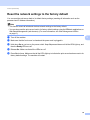
Reset the network settings to the factory default
See Reset the network settings to the factory default on page 26.
Print the Printer Settings Page
See Printing the Printer Settings Page on page 27.
Enable or Disable the wireless network
See Enabling or disabling the wireless network (For HL-2270DW) on page 28.
25