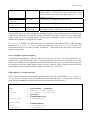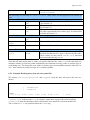
1
Page 69 of 100
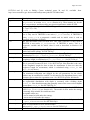
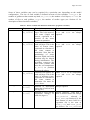
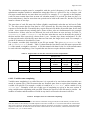
filename
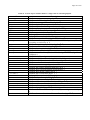
character
Name of file containing data. Only used if
readFile=TRUE.
zrev
logical
Switch indicating if soil data are stored in reverse order of
levels.
TRUE: vertical order is reversed, with data stored in
“bottom to top” order (i.e. bottom layer first)
FALSE: standard vertical order, with data stored in “top to
bottom” order (i.e. uppermost layer first)
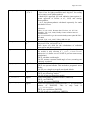
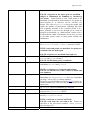
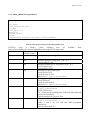
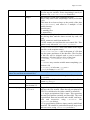
>ASCBIN: The following are used if fileFormat=‘asc’, ‘bin’, ‘dump’
or ‘pp’, or if readFile=FALSE.
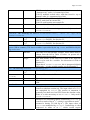
nheaderFile
integer
The number of headers at the start of the file.
See Section 5.2
nheaderField
integer
The number of headers at the start of a field.
See Section 5.2
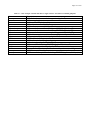
varName
character
The name of the variable.
See Table 3.
varFlag
integer
Flag indicating how the variable is initialised. Acceptable
≥-1
values:
>0: The field number in the file that holds data for this
variable. See discussion of fields in Section 5.1. If a dump
file is being read, any integer ≥0 is accepted and then
effectively ignored – this indicates that the field is to be
taken from the dump and the exact field number is not
required.
-1: The field will be set to the value constVal (see
below) at all points. This option can be used to specify an
idealised initial condition.
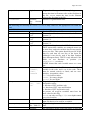
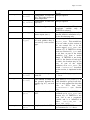
constVal
real
The value to be used at all points. Only used if flag=-1.
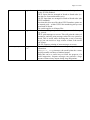
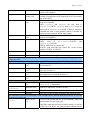
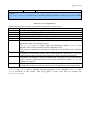
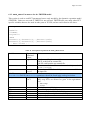
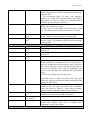
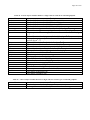
>NC: The following are used if fileFormat=’nc’.
ndim
integer
Number of dimensions in the netCDF file.
≥1
dimName(1:ndim) character
List of names of dimensions in the netCDF file.
array
varName
character
The name of the variable.
See Table 5.
varFlag
integer
Flag indicating how the variable is initialised. Acceptable
≥-1
values:
>0: Default (effectively is ignored).
-1: The field will be set to the value constVal (see
below) at all points. This option can be used to specify an
idealised initial condition.
constVal
real
See under >ASCBIN above.
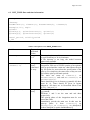
SDFvarName
character
The name of the netCDF variable that is to be used.
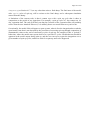
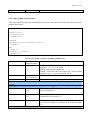
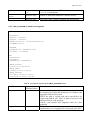
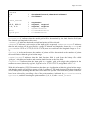
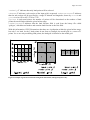
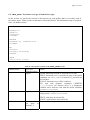
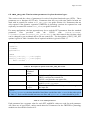
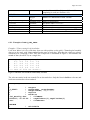
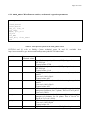
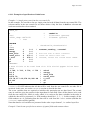
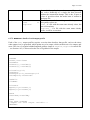
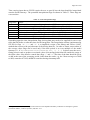
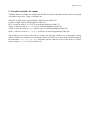
If further initial data are to be read from the run control file (readFile=TRUE and
fileFormat≠’dump’), these should now appear in the file, in the order indicated by the value
of flag for each variable (see above). For example, if tstar is given a value of flag=1, and cs
has flag=2, data for tstar and cs should then be listed, with each variable starting on a
separate line.