1
29
|
CH A P T E R 3 – C RE A T IN G S MA RT N O T E B O O K F ILE S
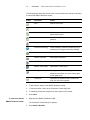
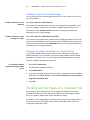
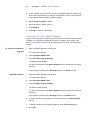
5. Select Corner Icon if you want to play the sound file when you press an icon in
the object’s lower left corner.
OR
Select Object if you want to play the sound file when you press anywhere on the
object.
6. Press OK.
To remove a sound file
from an object
1. Select the object.
2. Press the object’s menu arrow, and then select Sound.
The Insert Sound dialog box appears.
3. Press Remove Sound.
Animating Objects on a Page
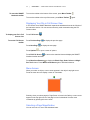
You can animate an object to fly onto a page from the side, spin, fade in, shrink, and
more. You can set the animation to start when you open a page or when you press the
object.
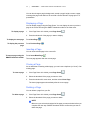
To animate an object
1. Select the object.
2. If the Properties tab isn’t visible, press Properties
.
3. Press Object Animation.
4. Select options in the Type, Direction, Speed, Occurs and Repeats lists.
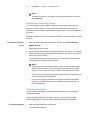
Undoing and Redoing Changes on a Page
When you create, edit or manipulate objects on a page, you can reverse the effects of
your previous actions and commands.
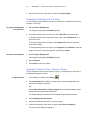
To reverse the effect of the
last action
Press Undo
.
NOTE
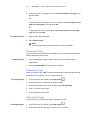
To reinstate the last action
reversed with the Undo
command
•
You can undo an unlimited number of actions.
•
You can undo actions on the current page only.
Press Redo
.
NOTE
You can redo actions on the current page only.