1
Examples of UDM Manager for OS/400
Universal Data Mover Manager for OS/400
6.3 Examples of UDM Manager for OS/400
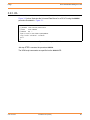
Appendix A Examples provides operating system-specific examples that demonstrate
the use of Universal Data Mover.
Included in this appendix are the following examples that demonstrate the use of
Universal Data Mover Manager in a two-party mode between OS/400 and UNIX:
•
•
•
•
•
•
•
•
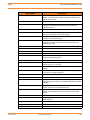
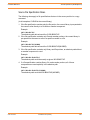
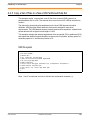
Copy a File to an Existing OS/400 File
Copy an OS/400 Data Physical File to a File
Copy a Set of Files to an Existing Data Physical File
Copy a File to a New OS/400 Data Physical File
Copy a File to a New OS/400 Source Physical File
Copy a Set of Files to a New Data Physical File on OS/400
Copy Different Types of OS/400 Files using forfiles and $(_file.type)
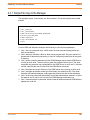
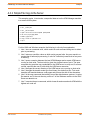
Invoke a Script from a Batch Job
Note: These examples apply equally as well to the Windows operating system, with
appropriate changes for the file system syntactical differences.
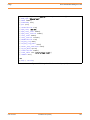
Each topic provides an example for the LIB file system.
The first topic, Copy a File to an Existing OS/400 File, also provides an example specific
to the HFS file system. For other examples similar to those used in the HFS file system,
see Section A.3 UDM Manager for UNIX and Windows Examples in Appendix A
Examples.
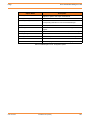
These examples reference the OS/400 commands by their untagged names. If you are
using commands with tagged names to run UDM, substitute the tagged names for the
untagged names. (See Section 6.2.1 Universal Products for OS/400 Commands for
further information.)
udm-user-3207
Confidential & Proprietary
130